- Joined
- Mar 12, 2021
- Messages
- 3
- Reaction score
- 0
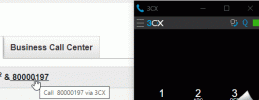
We need call initiating integration with our web based CRM. Our CRM can launch calls either by using the callto or the tel protocols.
We were using the 3CXPhone for Windows app, on Windows 10. With the app it was quite simple to have the app be the default app for tel and callto protocols: go to Choose default apps by protocol and selecting 3CXPhone as the default apps for tel and callto protocols.
We now switched over to the 3CX webclient and chrome extension. However, there is no way to select the webclient or the extension as the default app in Windows, it does not appear as a choice in the app selector. Is there anyway to tell Windows to use the webclient or the extension for these protocols ?
I have tried one workaround, I am able to launch calls using an URL: https://(mydomain).my3cx.ca/webclient/#/call?phone=[number]
However this goes to the webclient dialing page, in the same tab, leaving the CRM page. Is there anyway to make the URL to the webclient calling page open in a new tab, or even better would be to have a URL that would open the chrome extension instead ?
We were using the 3CXPhone for Windows app, on Windows 10. With the app it was quite simple to have the app be the default app for tel and callto protocols: go to Choose default apps by protocol and selecting 3CXPhone as the default apps for tel and callto protocols.
We now switched over to the 3CX webclient and chrome extension. However, there is no way to select the webclient or the extension as the default app in Windows, it does not appear as a choice in the app selector. Is there anyway to tell Windows to use the webclient or the extension for these protocols ?
I have tried one workaround, I am able to launch calls using an URL: https://(mydomain).my3cx.ca/webclient/#/call?phone=[number]
However this goes to the webclient dialing page, in the same tab, leaving the CRM page. Is there anyway to make the URL to the webclient calling page open in a new tab, or even better would be to have a URL that would open the chrome extension instead ?
Last edited: