- Joined
- Oct 4, 2019
- Messages
- 4
- Reaction score
- 1
Anyone who encountered this issue on their 3cx Linux Server please advise your resolutions,
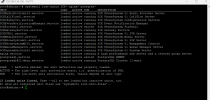
Suddenly 2 of my manage 3cx servers management console is not accessible, Even the web client is not working but 3cx Windows app is working.Upon checking all services are running and active, if I call their number it works and redirects to the Que, This happens only when updating to ver 939, so I tried restoring to 935 but another issue recure SSL and licensing is not working so I need to update to 939 again.
note
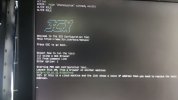
I tried restoring from backup via terminal command reset 3cx and locate backup but it did not work still server error after finishing
so I downloaded the latest iso reprogrammed the whole server, clean install and restore the backup.
1 of the servers is now online and steady
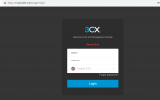
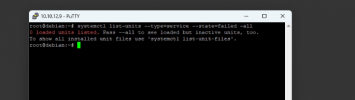
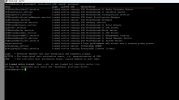
another 1 has run for a while maybe 3 hours and suddenly it goes back to server error. this screenshot is the freshly restored server that fails again. Even all services is running.

Suddenly 2 of my manage 3cx servers management console is not accessible, Even the web client is not working but 3cx Windows app is working.Upon checking all services are running and active, if I call their number it works and redirects to the Que, This happens only when updating to ver 939, so I tried restoring to 935 but another issue recure SSL and licensing is not working so I need to update to 939 again.
note
I tried restoring from backup via terminal command reset 3cx and locate backup but it did not work still server error after finishing
so I downloaded the latest iso reprogrammed the whole server, clean install and restore the backup.
1 of the servers is now online and steady
another 1 has run for a while maybe 3 hours and suddenly it goes back to server error. this screenshot is the freshly restored server that fails again. Even all services is running.