• We do not provide troubleshooting help for unsupported phones. Please try with a supported phone.
  • V20 Update 10 Alpha 2 Learn more

Unsupported Manual Setup for Talkswitch FON-550i

Status
Not open for further replies.

PatrickMcLeanCI

Free User
Advanced Certified
Joined
Sep 7, 2021
Messages
27
Reaction score
3
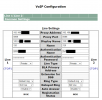
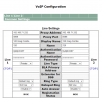
Has anyone set one of these up on 3CX before? I have plenty setup on a Talkswitch system and used the settings in there as reference for where I should put all the proper info (server IP, username/password etc) but I just can't get it to register, not quite sure what I'm missing.


VOIP Config.png
 

Attachments

  • VOIP Config.png
    VOIP Config.png
    45.2 KB · Views: 2
Try changing proxy port to 5060

Change your blacklist to see if the device has been blocked
 
My port is 5068 though.
 
Hi Patrick,

You seem to have put the correct values in the correct fields as far as I can tell. Other than taking a packet capture and analyzing it (or looking at the logs for any hints) there will not be much more that you can tell you why it doesn't work.

We don't really provide support for those devices, I'd suggest to consider using something from our supported list which has already been tested by the manufacturers and us to work fine with 3CX, and comes with plug and play provisioning as well as extra perks like phonebook, firmware updates, template updates etc.
 
The phone is showing up in my phone list, model # and FW version are showing, but it says "UNPROVISIONED". Am I missing a setting in 3CX or in the phone?
 
Hi Patrick,

Both supported and unsupported devices will appear this way, this is a normal thing to see.
It won't auto provision because 3CX just doesn't recognize that model so it's not related to any PBX setting or anything like that.

I don't think you missed anything that I can see of, it appears you have set the fields correctly. I think your options are what we mentioned earlier:

- check it did not get blacklisted
- then you have to do your own SIP troubleshooting if you can do so
+ possibly the manufacturer can give you some help if you ask them


General notes for all Forum Members, on unsupported phones:

- While most SIP devices should in theory manage to connect, that is not always the case..

- Some of them have restrictions that make them ineligible ie. you might see what went wrong, but there might not be a setting to adjust for it or the firmware might simply not support what you want.

- This can be more of a problem especially for older End-of-Life products which buyers find in batches and for very low prices

- If you are looking for low cost 2nd hand phones for Business use, don't go for unsupported devices. At the very least look for older gen. supported which models will be more likely to work especially for local server installations

- Weigh the low monetary EOL device cost against the higher time-cost you will spend to support/troubleshoot/maintain and babysit devices that have no future support, warranty, or firmwares updates on the horizon

- Talk to a 3CX Partner who can potentially suggest a better solution than what you currently have in hand. They might surprise you with what you can get!

- Consider using the 3CX client on a desktop computer, or on your mobile phone. It's included with your PBX anyway, and gets regular updates from us for features, bugfixes, and security updates.
 
  • Like
Reactions: Evolute IT
Phone actually works, it was just a bad handset (never though to check it on speakerphone because I wasn't getting line lights when calling).
 
  • Like
Reactions: JohnS_3CX
Status
Not open for further replies.

Forum statistics

Threads
112,147
Messages
590,959
Members
165,167
Latest member
Finatra.us