Mapping does not match 5060. Mapping is 1025.

Status
Not open for further replies.

Den1s

Customer
Joined
Jan 19, 2017
Messages
20
Reaction score
0
Hi,

I have been using 3CX for a while. Since upgrading the the latest 3CX Phone System Standard Edition v15.5.5. I get the following error when performing a firewall check;
  • resolving 'stun-eu.3cx.com'... done
  • resolving 'stun2.3cx.com'... done
  • resolving 'stun3.3cx.com'... done
  • resolving 'sip-alg-detector.3cx.com'... done
  • testing 3CX SIP Server... failed (How to resolve?)
    • stopping service... done
    • detecting SIP ALG... not detected
    • testing port 5060... Mapping does not match 5060. Mapping is 1025. (How to resolve?)
    • starting service... done
What steps can I take to fix this 'mapping' issue we are having.

So far, I have tried;

1. Turning off the windows firewall
2. Disabling the Kaspersky Anti-Virus
3. Disabling the router firewall
4. Making the server a DMZ to eliminate any issue with ports
5. Rebooting the server

Nothing seems to work. Can someone please offer any advice on what I can try next?

Thanks,

Denis
 
Have you defined port forwarding / NAT according 3CX documentation in your router ?
This should be done for ports 5000,5001,5060,5061,5090 TCP and 5060,9000-9500 UDP.
None of the tries you made will solve the issue, if you don't have right port forwarding.
 
Thank you for your response. All ports that you have mentioned is set to forward. Regarding the NAT, was there anything specific I should check?
 
What make is your router, most probably you are not forwarding / NATting these ports for traffic reaching the public IP address of the router to internal IP address of the PBX. Port forwarding should be 1:1, i.e. traffic to public_ip:5060 should reach private_ip:5060, etc. Firewall checker error indicates this is not happening. Refer to: https://www.3cx.com/support/firewall-configuration/
 
Hi my router is an Asus RT-AC66U_B1.
 
It seems that it is not possible to disable SIP ALG from GUI. Only option is to try by telnet.:confused:

 
SIP ALG should not be the problem, according firewall checker results, it is not active.
The problem looks like to be no destination NAT in the router.
 
How about that:

Your problem is caused by the fact Asuswrt uses a SIP helper module for the firewall that kinda hijack port 5060. Simplest solution is to switch to my custom firmware, and disable the SIP Helper module, on the Firewall -> General page.
 
Ok, disable it then, firewall checker is not detecting SIP ALG been used (test is pretty reliable) -- see top of topic.
Mapping 5060 to 1025 usually means this is reply to source NAT (established traffic), new connections start usually from port 1024 and up.
I suggest trying another router, if this (obviously) is not doing the job.
 
But how before it was OK?!
After upgrading the 3CX from v14 to v15 we are getting this error message when we perform 3CX firewall check:
I do not have ports forwarded for security purposes and use sip_nat.conf to specify my NAT settings.
 
But how before it was OK?!
Where from you quote this statements ? Probably they are related to other posting. Den1s is not mentioning such.
 
Pretty similar I would say:oops:

I have been using 3CX for a while. Since upgrading the the latest 3CX Phone System Standard Edition v15.5.5. I get the following error when performing a firewall check;
 
Yes, could be.
Still Den1s' SIP ALG is not detected and router behaves like no destination NAT is defined.
 
Yes. This did use to work fine. Something has changed and the only thing I can think of is my upgrade to 15.5.
 
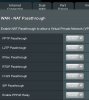
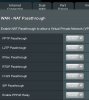
My NAT setting on the router are in the attached jpg.
 
Place a ticket to 3CX support. Just in case: You have restarted your router and after that your 3CX services.
No reason for different result of 3CX firewall ckecker in v15.5 compared to V.14. The firewall checker in V.15.5 added SIP ALG detection.
 
Attached file
 

Attachments

  • CD5CF999-441E-4466-B676-EB99E02A6CDE.jpeg
    CD5CF999-441E-4466-B676-EB99E02A6CDE.jpeg
    230.1 KB · Views: 177
  • 0708E7B5-DFFF-4118-944F-16B47141A4B6.jpeg
    0708E7B5-DFFF-4118-944F-16B47141A4B6.jpeg
    230.1 KB · Views: 153
This is not enough, may be there are other settings
If you like start a Teamviewer to show me (send me a private message).
 
Status
Not open for further replies.

Forum statistics

Threads
111,856
Messages
589,404
Members
164,693
Latest member
FLCC