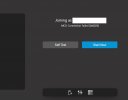
MCU Connection Failed (0x0020)

Status
Not open for further replies.

MarkT

Forum User
Joined
Jan 28, 2021
Messages
3
Reaction score
0
Hello,
We are getting MCU Connection Failed (0x0020) last couple days when trying to start meeting.
It was working before, don't see any issues with firewall (firewall check is all green) or connectivity...
Any suggestions or insights are appreciated.

Thanks!
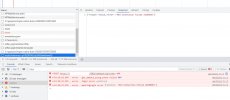
 

Attachments

  • screenshot1.jpg
    screenshot1.jpg
    109 KB · Views: 14
  • screenshot2.jpg
    screenshot2.jpg
    23.9 KB · Views: 16
Hi @MarkT , can you check WebMeeting log on the PBX? This error indicates that the PBX is not able to connect to the MCU on port 443.
 
Hi @MarkT , can you check WebMeeting log on the PBX? This error indicates that the PBX is not able to connect to the MCU on port 443.
Hi Marcello,
Thanks, log is attched, it tries to connect to us126-nyc.3cx.net which resolves to 161.35.111.17.
I tried to ping this host from different networks, there is no reply. Is it down?
 

Attachments

  • log.jpg
    log.jpg
    72.2 KB · Views: 17
Hi @MarkT , the server is online and working. Ping is not enabled on these servers.

Can you try this command on your PBX?

wget https://us126-nyc.3cx.net

You should get 404 Not Found as reply.
 
Hi @MarkT , the server is online and working. Ping is not enabled on these servers.

Can you try this command on your PBX?

wget https://us126-nyc.3cx.net

You should get 404 Not Found as reply.
Hi Marcello,
Attached is output of wget... Looks like an issue with old ssl protocol on MCU server?
 

Attachments

  • wget.jpg
    wget.jpg
    21.2 KB · Views: 23
Actually it's the opposite, there's an old cypher suite on your client. The test however is successful because you were able to connect, even though the SSL handshake failed. This excluded a network issue.

I will send you a PM so we can troubleshoot your issue.
 
After detailed analysis, server logs showed SSL handshake errors.
Customer verified that also curl/wget requests were failing with SSL errors. Customer configured TCP MSS in the company network and this fixed the issue.
 
After detailed analysis, server logs showed SSL handshake errors.
Customer verified that also curl/wget requests were failing with SSL errors. Customer configured TCP MSS in the company network and this fixed the issue.
Thank you for sharing!
 
With 3cx extension for chrome I am trying self test meeting. I am getting MCU Connection Failed (0x0020). I changed the region from Erope to UK with no result. I attach the log from the PBX.
 

Attachments

With 3cx extension for chrome I am trying self test meeting. I am getting MCU Connection Failed (0x0020). I changed the region from Erope to UK with no result. I attach the log from the PBX.


What is the version number of 3CX?
Are your updates done?
 
Hello @krzysztof2001 , this error indicates that the PBX cannot connect to the MCU. I checked server side logs and there is no successful connection matching your logs. However, I do see the 404 request you sent with wget.

Can you restart 3CX Gateway service and try again?
 
ProductProfessional Annual
Version Number18.0 (Build 20)
License Expires05/08/2024 3:04:22 PM
Maintenance05/08/2024 3:04:22 PM
Number of Simultaneous Calls8
Meeting Seats100

The next update is V20 and Debian 12. I didn't want to update, not now.
 
  • Like
Reactions: Guillaume Bourgeois
I will restart after working hours and check.
 
  • Like
Reactions: Guillaume Bourgeois
Hi,

after restart there is no connection, I am attaching the log.
 

Attachments

Hi @krzysztof2001 , looking at server logs I see your wget request but I don't see any request coming from the PBX.
Did you install something else on this server?
At this point I suggest a server reboot.
If the reboot does not fix the problem, I will contact you in private for some more tests.
 
Hi,

The server is only for 3CX.
I reboot the server and restart 3CXGatewayService several times.
It appears that 3CXGatewayService did not send any packets to the MCU and reported unavailability.
I tested tcpdump and no IP packets on the interface.
 

Attachments

Hi,

I changed "External IP Configuration" to Dynamic, maybe too briefly, PBX status IP Detecting. I went back to Static.
IP6 is disabled on all interfaces except loopback.
DNS is local. PBX during test and meeting query only about wmr.3cx.net (tcpdump).
I tried connect with wget and I get -> GnuTLS: received alert [40]: Handshake failed.
I'm attaching the console. Where to share the support zip file?
 

Attachments

You're getting handshake failed because you're using IP addresses in https requests instead of a valid FQDN, so SSL certificate validation fails.

Yesterday I sent you a private message, you can upload the .zip to Google Drive and share the url. Just reply to the private message with the shared url. Thanks!
 
Status
Not open for further replies.

Latest Posts

Forum statistics

Threads
111,973
Messages
590,075
Members
164,895
Latest member
jasonkkrause