Migrate from 3CX FQDN to my own

balandine

Premier Customer
Joined
Feb 2, 2026
Messages
15
Reaction score
3
Hello everyone.

At the moment, I am using an FQDN that I received from 3CX. I have a task to migrate the system to my own FQDN. Has anyone already done this? What will happen to mobile app users in this case?
 
Hi @balandine

If you change the FQDN, the users of the mobile app will have to re-scan the QR code to reprovision the app.
 
  • Like
Reactions: balandine
The rule of a fresh install when changing FQDN still applies, right?
 
Hi,

Indeed @Alphabetic , perhaps we focused a bit too much on the second part of the question from @balandine .

No FQDN backup -> Fresh install -> release old FQDN -> Restore - while making sure the new certs are done properly for all apps, connections, devices to work OK.

@balandine you might wish to reach out to an experienced partner if you wish to limit the likelihood of any issues during the change.
 
  • Like
Reactions: balandine
Thank you for your answers.
Am I correct, that after completing all setup, users have to log into their personal account and click on the QR code. Then open the main menu in the mobile app and click "Scan QR code"?
 
Am I correct, that after completing all setup, users have to log into their personal account and click on the QR code. Then open the main menu in the mobile app and click "Scan QR code"?
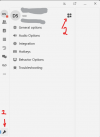
Yes, that would be the correct process, or they can access the QR code via the windows app, if they have that installed & configured.
1770372555085.png
 
  • Like
Reactions: balandine
Thank you for your help.
 
  • Like
Reactions: NikolasA_3CX

Forum statistics

Threads
111,953
Messages
589,914
Members
164,849
Latest member
BillyAkansel