- Joined
- Feb 13, 2020
- Messages
- 30
- Reaction score
- 4
We recently updated our 3CX system to v20 on June 29th. Since the upgrade, we've noticed that some historical data appears to be missing when attempting to generate specific reports.
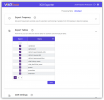
We're trying to gather User Activity data over the past six months and display it in an hour-by-hour format. To do this, we navigate to: Admin > Reports > Extension Statistics: User Activity. We then apply the following filters:
When the report is generated, we can see valid data for June 29th and 30th (the days after the update), showing expected numbers of answered and unanswered calls.
However, any date prior to June 29th shows 0 for both answered and unanswered calls, even though we are certain calls were made during that time. This suggests that historical data is not being pulled correctly since the v20 update.
Interestingly, when using other reporting sections (such as general Extension Statistics), we can still see data from before the update. So it seems that the data exists somewhere, but isn't accessible through this particular reporting section.
Has anyone else experienced this issue following the update to v20? Any idea what might have caused it—or if there's a way to recover or access the missing data?
Thanks in advance!
We're trying to gather User Activity data over the past six months and display it in an hour-by-hour format. To do this, we navigate to: Admin > Reports > Extension Statistics: User Activity. We then apply the following filters:
- Range: Last Month or a custom time frame from earlier this year
- Time Scale: Hour-By-Hour
- Select Users: Any
- Call Direction: All
When the report is generated, we can see valid data for June 29th and 30th (the days after the update), showing expected numbers of answered and unanswered calls.
However, any date prior to June 29th shows 0 for both answered and unanswered calls, even though we are certain calls were made during that time. This suggests that historical data is not being pulled correctly since the v20 update.
Interestingly, when using other reporting sections (such as general Extension Statistics), we can still see data from before the update. So it seems that the data exists somewhere, but isn't accessible through this particular reporting section.
Has anyone else experienced this issue following the update to v20? Any idea what might have caused it—or if there's a way to recover or access the missing data?
Thanks in advance!