Moved 3CX to Cloud and now SMS not working inbound [Digitalocean] Flowroute

ZachHampel

SOHO User
Joined
Jan 27, 2025
Messages
9
Reaction score
1
We moved from in house hosted windows server to cloud via digitalocean everything works fine except inbound SMS. Rebooted re-linked API nothing. We use Flowroute any ideas ?
1754315848515.png
 
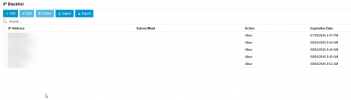
Check at your SMS control panel to see if it still thinks its registered at old IP or the IP has been blacklisted in 3cx.

 
Check at your SMS control panel to see if it still thinks its registered at old IP or the IP has been blacklisted in 3cx.
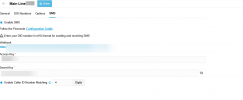
Not sure what you mean by SMS control panel, nothing is blocked from what I can tell. No logs of a block and nothing in blacklist. It works fine to text out but nothing comes back in. Flowroute uses webhooks for texting.

SIP Reg shows the new host:
1754319069403.png

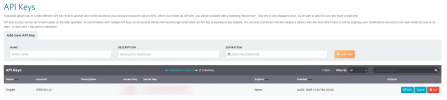
All SMS settings I can see:

3cx:

1754318565087.png
Flow Route:
1754318645625.png1754318691235.png
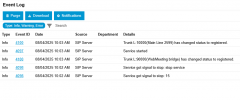
Logs:
1754318747985.png1754318826404.png
 
Its like then that Flowroute is not resolving the FQDN correctly since you moved to Digital Ocean.

Have you tried doing a license refresh in 3CX and confirming the correct IP comes back when you ping it?
 
Its like then that Flowroute is not resolving the FQDN correctly since you moved to Digital Ocean.

Have you tried doing a license refresh in 3CX and confirming the correct IP comes back when you ping it?
Ping comes back right so does the license. I will reach out to flowroute support then and see if they can do something on there end because nothing has really change on mine beside the host and pointing one DNS record to it. Thanks for your help!!
 
Unfortunately, testing the web hook outside the PBX works fine. It is something to do with 3cx :/

I have re-added the whole trunk, Deleted it all and re-made api keys etc, made temp setup to user only no text in but out still works.
 
Last edited:
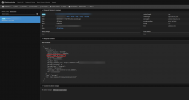
Flowroute is not showing any error regarding the webhooks? On their side they should be able to see if the PBX is not answering to them. On the PBX you should be able to packet capture the request if it is reaching you but not getting processed.

Can you put some different URL in the webhooks on Flowroute, do a message, then back to the correct one and see? Perhaps they have cached DNS.
 
  • Like
Reactions: GregG_3CX
Flowroute is not showing any error regarding the webhooks? On their side they should be able to see if the PBX is not answering to them. On the PBX you should be able to packet capture the request if it is reaching you but not getting processed.

Can you put some different URL in the webhooks on Flowroute, do a message, then back to the correct one and see? Perhaps they have cached DNS.
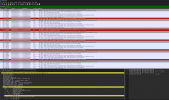
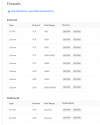
I have tried all of that sadly no luck, I have asked if they see any errors but have not gotten a reply yet. I did a packet capture but was not able to tell / see and incoming sms. I searched for flow routes IP node I think these could be them but, I am truly not sure, I have never searched for sms in WS before. Based on the info of these I cant tell what they are.

If i use a webhook test on flow route I get the text on the test hook so they are sending out but my new 3cx host is not getting them or it is and they are not showing up anywhere in logs etc. what I used to test flowroute https://webhook.site
1754414291941.png
1754413843503.png
 
Last edited:
Unfortunately, testing the web hook outside the PBX works fine. It is something to do with 3cx :/

I have re-added the whole trunk, Deleted it all and re-made api keys etc, made temp setup to user only no text in but out still works.
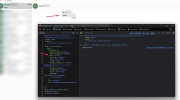
to clarify "testing the web hook outside the PBX works fine." I mean using a webhook tester like: https://webhook.site on flow route it gets them. Not 3cx gets them from something else
 
I am able to get messages via 3cx created webook through firefox dev I tested it but still nothing if its directly coming from flowroute. Am I wrong to think this is 100 % a flowroute side ?1754415075981.png
 
Called Flow route they are now seeing a cert [SSL] error when sending to our domain yet the ssl is working fine on our end. Any ideas?
 
  • Like
Reactions: KyriacosS_3CX
Steps we took and wrote up to resolve:

SSL Certificate Update on Cloud-Hosted 3CX Server (to Restore SMS/Webhook Functionality)

Why:

Default 3CX install does not include the CA (intermediate) certificate in its SSL chain, which causes SMS/webhooks to fail SSL validation.

Steps Taken:
  1. Log into the cloud provider (DigitalOcean) and locate the 3CX Droplet.
  2. Adjust the firewall under the Networking tab to allow SSH access from your IP.
    (Use https://www.myip.com to get your public IP.)
  3. Use the web console to access the Droplet directly.
  4. On your local machine, install PuTTY Key Generator (PuttyGen) from puttygen.com
  5. Generate a new SSH key pair and save both the public and private keys.
  6. Convert the public key to OpenSSH format using PowerShell:
    ssh-keygen -i -f PATH\TO\YOUR\PUBLICKEY
  7. On the 3CX Droplet, open this file:
    /root/.ssh/authorized_keys
    Append the converted public key to the end of the file.
  8. Install and open WinSCP.
  9. Create a new SFTP connection:
    Protocol: SFTP
    Username: root
    Leave password blank
    Go to Advanced > SSH > Authentication and select the private key file
  10. Connect and navigate to:
    /var/lib/3cxpbx/Bin/nginx/conf/Instance1
  11. Obtain the new SSL certificate files from your provider or IT admin:
    crt.crt
    prv.key
    ca.crt
  12. Open crt.crt in a text editor and append the full contents of ca.crt to the bottom.
  13. Save the combined file as:
    domain_cert_example.pem
  14. Rename prv.key to:
    domain_key_example.pem
  15. Upload both domain_cert_example.pem and domain_key_example.pem to the above directory using WinSCP.
  16. Reboot the server using the command:
    reboot
  17. Verify the certificate with:
    curl -v https://your-3cx-domain
  18. Test the SMS/webhook endpoint using:
    curl -X POST https://your-3cx-domain/sms/flowroute/SECRET_PATH -H "Content-Type: application/json" -d '{"data":{"type":"message","attributes":{"to":"RECIPIENT_NUMBER","from":"SENDER_NUMBER","body":"Test from Flowroute webhook"}}}'
  19. (Optional) To bypass SSL validation temporarily, run:
    curl -k -X POST https://your-3cx-domain/sms/flowroute/SECRET_PATH -H "Content-Type: application/json" -d '{"data":{"type":"message","attributes":{"to":"RECIPIENT_NUMBER","from":"SENDER_NUMBER","body":"Temporary SSL bypass test"}}}'

Result:
Successfully installed full-chain SSL certificate. SMS and webhook functionality is now working. Texting (incoming and outgoing) is operational.

Texting coming in should work now!
 
  • Like
Reactions: KyriacosS_3CX
Thank you @SweetAction for initially spotting the root cause of the problem, and thanks to @ZachHampel for documenting the steps they needed to take to resolve it once it was discovered.
 

Forum statistics

Threads
111,957
Messages
589,931
Members
164,861
Latest member
LewisJC