Solved Moving Office - NEW Public Static IP Address

Status
Not open for further replies.

wright

Customer
Basic Certified
Joined
Sep 6, 2012
Messages
14
Reaction score
1
There are several threads about re-installing, backing up without license etc. Also some older posts about changing IP to dynamic, moving equipment, then changing back to static.

I have static IP. I use 3CX FQDN: eg. {mycompany}.nc.3cx.us:5001/webclient
I am moving my office & I now have a new public static IP.

Internet is working at both places.

What steps should I take for a smooth relocation?
 
Hey Wright, do you have 3CX installed on a physical computer and moving it between the locations?
 
Just change your wan ip to dynamic , wait awhile then change it back to static

Be patient depending of what license you have changes can take some time - std & pro 6 hrs, ent 6 mins
 
Hey Wright, do you have 3CX installed on a physical computer and moving it between the locations?

Yes. Exactly that. 60 miles to the new location.
 
Just change your wan ip to dynamic , wait awhile then change it back to static

Be patient depending of what license you have changes can take some time - std & pro 6 hrs, ent 6 mins

Enterprise.
To confirm, I change it to dynamic at the original location.
Wait an hour or 6.
Shutdown - physically move - power up, wait another hour or 6.
Change back to static.

Thank-you.
 
Sweet. All you need to do is:
1) proper shutdown of the system
2) move to new location
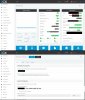
3) power system up at new location and update IP address in 3CX mgmt console. After updating just wait, within an hour the FQDN and DNS servers should auto update and your FQDN will update to point to your new static public IP.

update public IP.jpg


Obviously your FQDN will not be working at first so to access to update you will need to access it through the local network on the local IP or from the server itself with https://localhost:5001
 
Last edited:
There are several threads about re-installing, backing up without license etc. Also some older posts about changing IP to dynamic, moving equipment, then changing back to static.

I have static IP. I use 3CX FQDN: eg. {mycompany}.nc.3cx.us:5001/webclient
I am moving my office & I now have a new public static IP.

Internet is working at both places.

What steps should I take for a smooth relocation?


Enterprise.
To confirm, I change it to dynamic at the original location.
Wait an hour or 6.
Shutdown - physically move - power up, wait another hour or 6.
Change back to static.

Thank-you.


Final comment on this.
I can report that the advice was spot on!
All working in new office.
Thank-you all for the comments.

Initial start-up of the 3CX still hung on to the old IP, but one extra 3CXStopServices & 3CXStartServices seemed to do the trick.
 
Well done ;) , a right on target office move
 
Status
Not open for further replies.

Latest Posts

Forum statistics

Threads
111,962
Messages
589,969
Members
164,864
Latest member
SCarpenter@fifthavenue-la