- Joined
- Sep 26, 2015
- Messages
- 12
- Reaction score
- 0
Using V20 we turned on MS365 integration. Integration synchronises a user's Cell/Mobile number with whatever number is held in their MS365 user record. We use the mobile number field in MS365 to show that number in our users' Email Signatures so we encourage users to make the number easily legible for humans by including spaces, brackets and "+44" country code type information where appropriate.
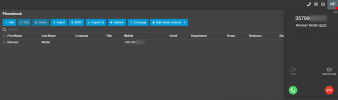
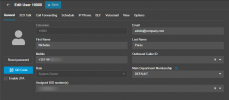
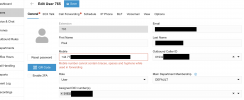
A user cannot enter a mobile number with brackets or spaces into their 3cx user record as there is validation which prevents it. Why is the same validation not applied to the sync with MS365? Can "banned" characters not be stripped out when synching? Whilst It's possible to strip leading characters using an outbound rule, it isn't possible to strip characters from the middle of a number such as space.
Is there a workaround other than having to reformat all user's mobile numbers in MS365 into a format which is less legible for a human?
A user cannot enter a mobile number with brackets or spaces into their 3cx user record as there is validation which prevents it. Why is the same validation not applied to the sync with MS365? Can "banned" characters not be stripped out when synching? Whilst It's possible to strip leading characters using an outbound rule, it isn't possible to strip characters from the middle of a number such as space.
Is there a workaround other than having to reformat all user's mobile numbers in MS365 into a format which is less legible for a human?