MSSQL Integration - Call Journaling not working

mc_comptech

Trial User
Joined
Feb 3, 2025
Messages
3
Reaction score
0
Hello,
i'm trying set up the CRM integration with MSSQL. I inserted the queries for Search by Name, Number and Email. And it works.

Now, I want to set up Call Journaling. I inserted the query but it doesn't log any call. No errors in the logs, but if i execute the same query directly from the dbms it works.

This is the query i'm using:
INSERT INTO agecxa (TELEFONO, TIPOCHIAMATA, INTERNOAGENTE, SOGGETTO, DESCRIZIONE) VALUES (@Number, @CallType, @Agent, @EntityId, @Name);

Am i missing something?
 
  • Like
Reactions: Evolute IT
Yes, the problem persists.
I found this in the logs, if it means something:
2025/02/03 14:25:50.367|0005|Debg| [Integration.Crm.CallProcessingService] CRM: S_RECORDINGDATA update: state=empty, HistId=6c2eb3fc2b0c0000_23, RecId=
 
Check on the System Service Log on Verbose and filter with " CRM: "
So you will see for example something like this :

CRM: Processing scenario 'SearchContacts'.
CRM: Executing SQL Query statement 'SELECT ............


and then you may see an error like this :

CRM: Exception executing search contacts ' xxxxxxxxxx '

Then at the end, if there is no match you will see :

CRM: No matchings found.
 
  • Like
Reactions: Evolute IT
Something important to notice is that Call Journaling is only triggered for successfully matched contacts. So if you make or receive a call and there is no matching contact for that number, then call journaling will be skipped.
 
I tried searching "CRM:" but all i find are these:
2025/02/03 14:25:50.367|0005|Debg| [Integration.Crm.CallProcessingService] CRM: S_RECORDINGDATA update: state=empty, HistId=6c2eb3fc2b0c0000_23, RecId=

I'm testing this feature with calls between agents so they're all contacts. I also tried with external numbers (in contacts), still won't work.
 
Contact lookup (and then call journaling) only works with calls from / to external numbers.
 
  • Like
Reactions: NikosT_3CX
Hello,
I found this discussion while searching to solve the same issue.

I have question about following:
Something important to notice is that Call Journaling is only triggered for successfully matched contacts. So if you make or receive a call and there is no matching contact for that number, then call journaling will be skipped.
I read the documentation very carefully and did not find any description of such a behavior of "Call Journaling". It's simple "calls and chats are logged in the SQL database" - no additional conditions, all I need.
So... is that functionality actually works and can you provide some help to it goes really usable?

Also: can I use only "Call Journaling" and "Contact Creation", but not Lookup functions?

Thanks
 
I read the documentation very carefully and did not find any description of such a behavior of "Call Journaling". It's simple "calls and chats are logged in the SQL database" - no additional conditions, all I need.
So... is that functionality actually works and can you provide some help to it goes really usable?
The database template will log the call in any case, because the template is not filtering calls where a contact was not matched. That's not the case for other CRM templates, in which the Contact ID is a requirement, and then the Call Journaling is skipped if no contact is matche.

Also: can I use only "Call Journaling" and "Contact Creation", but not Lookup functions?
Yes, you can.
 
  • Like
Reactions: Evolute IT and Saky
I have one more question.

On what event SQL statements will be executed:
  • Call initiation
  • Call establishing (in progress)
  • Call ending (missed or completed)
  • All of those

Thanks
 
On what event SQL statements will be executed:
  • Call initiation
  • Call establishing (in progress)
  • Call ending (missed or completed)
  • All of those
Contact Lookup is triggered when the call arrives to 3CX, even before it's sent to any internal entity, this is why you just have the caller's number, but not the destination.

Call Journaling is triggered when the call ends. This is where you have the origin and the last destination of the call.

Those are the only "call related". Contact creation for example is triggered when you request it from the 3CX client, but not automatically with a call.
 
Contact Lookup is triggered when the call arrives to 3CX, even before it's sent to any internal entity, this is why you just have the caller's number, but not the destination.
Actually you have and direction too, but "@CallDirection" param doesn't work in lookup statements.

Call Journaling is triggered when the call ends. This is where you have the origin and the last destination of the call
To be honest, I don't see any practical advantage using this functionality if "Call Journaling" triggers at the end. Just collecting some calls for statistics... ok, but the CRM "doesn't know" what is happening during the call.

Anyway... I think this will have serious further improvements, in next versions.

Thanks for your assistance!
 
Actually you have and direction too, but "@CallDirection" param doesn't work in lookup statements.


To be honest, I don't see any practical advantage using this functionality if "Call Journaling" triggers at the end. Just collecting some calls for statistics... ok, but the CRM "doesn't know" what is happening during the call.

Anyway... I think this will have serious further improvements, in next versions.

Thanks for your assistance!
There are reasons why it's designed this way. Feel free to build your own module to do more.
 
Correct, that's what it's supposed to do, and what most users need. If you need anything else, you have options:
1) You can use the generated CDRs which contain all the calls, to send the information to a third party. These are generated when the call ends.
2) Once 3CX v20 U6 is released, you can use the data connector to export all the call data to your database, for further analysis. This also happens after the calls have ended.
3) If you need information in real time, you will need to use the 3CX Call Control API, either the .NET native API or the REST API, to build your own integration.
 
I have a similar issue.
No logs are being inserted into MSSQL.
It can read contact details from same MSSQL when external incoming calls arrive.

But it cannot do Journaling.
Verbose logs are ON, and when I try to search 'SQL' within log, it does not return anything, even inthe logs.

I am just starting and trying with the sample query provided on 3cx website.
SQL tables, datatype and fields are perfect as described, yet nothing in log and no records are inserted.

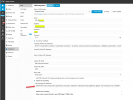
1759990580034.png

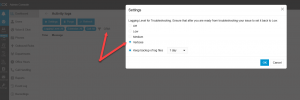
1759990699190.png
 
Check the 3cxSystemService.log file for errors. You will be able to get it from the Support package bundle.
 

Forum statistics

Threads
111,955
Messages
589,925
Members
164,853
Latest member
as7h