Multiple trunks on 1 extension

Status
Not open for further replies.

Maarten

Joined
Aug 9, 2017
Messages
41
Reaction score
4
Hi,

I am running into this situation. I have a user which is using 1 extension. But he needs to have 3 trunks to make outbound calls from. 3 different trunks with 3 different numbers(different country's).
Is this described above as how to setup? Because the numbers they call are not set with a prefix. If the prefix is handled in the outbound rule then how do you add a number lets say "1" to use Trunk 1 and "2" to use trunk 2?

Hope someone can guide me/clarify this as i really need to have this fixed urgently.
 
Hello @Maarten ,

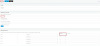
you can set up 3 outbound rules, one for each trunk. For the first trunk you filter all calls starting with prefix 1 and then you strip that digit, see screenshot below.
upload_2017-9-13_13-58-38.png

Same thing with every other trunk changing the number you use but again striping 1 digit.
Now, when you want to call someone from trunk 1, you dial 1XXXXXXXXX. From trunk 2, you dial 2XXXXXXXX and so on.

Hope this helps.
 
  • Like
Reactions: Maarten and AH2
Will test this and get back to you @AndreasPo_3CX . Thanks so much for the quick response!
 
Tested this and so far it does work. I do however have a few questions.
Can i make the prefix for german's lets say 10049 and than strip the 1 so it recognises to call from the german trunk and will add 0049 before the number?
But then what happens when we use click to dial and our numbers are configured with a 0 infront. Usually we use strip 1 digit to remove the 0 and add country code. But this won't work now? The number would show then as 00490XXXXXXX which is incorrect.

Can i make it so it strips the 1, then adds the 0049 and then strips the 0? This would leave us with a correct number to call.
 
This is a bit confusing but i will try to answer from what i understood.
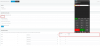
At the moment you dial 1XXXXXXXXXX for germany but you want the number that gets dialed to be 0049XXXXXXXXXX. That can be achieved by appending 0049 in the existing outbound rule that you already created for german trunk.
Now when you use click to call, if the number is in local format (0XXXXXXXXXX) then just manually delete the "0" and add a "1" in front of the number on the softphone. That will send the number to the PBX as 1XXXXXXXXX, same as diling the number directly.
Here is an example:
upload_2017-9-14_11-13-35.png
 
  • Like
Reactions: Maarten
Hi Andreas. I got this far indeed. But instead of deleting the 0 manually. Is there a way to do this automatically?
 
Since you are dealing with numbers in multiple countries, this would be difficult to filter. For example a German local number is 0+10digits, the same goes for UK,Italy,US etc.
It all depends on which countries you have to deal with. If the local number in each country has different length then it is possible.For example if you cannot differentiate between 02033272020 and 05114740240, how would you know which one is in the UK and which is in Germany.
You can strip 0 but the PBX wouldnt know which country this call is destined to.
 
Our agents would know since they are designated for their respective countries. For example. In netsuite, our CRM. All the numbers are configured of course with a 0 infront. But if he is clicking on that number, he knows its a german number because its a german client.
This means, he can go to the 3cx client, add the 1/2/3 prefix, click on the number and call. Now they would have to add the 1/2/3, click on the number and then go back to the client to remove the 0. I want to remove that last step. Else We might need to instruct the people to just use copy/paste. But this would remove the click to dial functionality.
 
Since you have designated agents for each country this becomes a bit easier.
1. Create a group for each country and add the respective agents to each group.
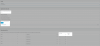
2. Create an outbound rule for each country that filters with prefix 0,1 and group, prefix 0,2 and group, prefix 0,3 and group. See screenshot below
upload_2017-9-14_12-44-5.png

This would change the number according to the agent that is making the call. This would work provided that no agent is in 2 groups.
 
But this won't work if the Agent is in the German group and the Dutch group for example?
 
Correct, this would follow the first outbound rule in the list that matches the criteria. For example if the outbound rule for German is above the rule for Dutch, an agent who is in the German and Dutch group will always call out using the German rule.
 
Ive got it to work and it is working excellent now! Thanks alot for the information :)
 
Glad this worked out for you!
How did you overcome the problem where an agent is in multiple groups if I may ask?
 
  • Like
Reactions: Maarten
I used your very first solution. If people want to call out to a german number which they should know is a german number. Then they fill in the 2. I let 3CX strip 2 digits and then prepend the country code. So the 2 and the first 0 gets stripped and than 0049 gets added. using this setup and selecting a german trunk, people are able to call outbound to germany with the german trunk. While also calling outbound to netherlands using for example 1 infront of the number and strip 2 digits and add 0031.

This leaves me with alot of outbound rules and people will need to remember which country has which number. But so far it is running smooth and no complaints.
 
  • Like
Reactions: AndreasPo_3CX
Great!
Thank you for posting the solution so others can refer to it as well!
 
@AndreasPo_3CX - another question. In the example above how i configured it. Whenever a customer calls, it will show their number. If our agent wants to call that number by using "Redial" then it won't work because it wont have the number + 0 infront. Is there any way we can fix this?

Example:

Agent is configured with Dutch line which is 1. Outbound rule is set: calls starting with prefix 1, remove 2 digits(1 and 0) and prepend 0031.
Now customer calls and agent sees XXXXXXXXX number in screen. Connection drops and agent wants to redial the number. This will give a failed call because there is no 1 added before and the 0 is not there.

Is there any way to solve this so agents can use the rightclick - redial?
 
Can you provide me with an example?
what does the number shown look like when someone is calling you?
what do you want the number to be?
also if you can, post a screenshot of your outbound rules.
 
In this case. It was one of our Spanish agents.
The number that is shown on her client is for example: 965452791
Her outbound rule is set to be like this:

t99uv9.png


When she then tries to redial that number, it does not work.
This is because her outbound is set to remove the first 2 numbers. Which in our case will be the 5 and 0. Then it will add 0034 which is country code for spain.
How can i make it so the number shown in this case is 50965452791?
This will work and then 3CX will see the 5 so use spanish trunk. Then remove 5 and 0 and add 0034
 
There is a way that this could possibly work. If you go to SIP Trunks>>YourSIPTrunk>>Caller ID>> Inbound , you can reformat the number as it comes in. What you do is:
1. You identify how numbers from each country come in. For example do numbers have 0 in front or not? Does it have area code?
2. Check here on how to reformat numbers https://www.3cx.com/docs/cid-reformatting/
3. You go to SIP Trunks>>YourSIPTrunk>>Caller ID>> Inbound and click on "Add".
4. Make all the inbound calls end up to the user as 0034XXXXXXXX or whatever the correct number is for each trunk.
5. Create outbound rules that route calls through the correct trunk depending on the prefix. Prefix being 0034 for spain or 0049 for germany.

This way you just redial the number just like it came.
 
  • Like
Reactions: Maarten
Would it be correct if i made it something like below:

2a6nujp.png

Source pattern is the whole number and replace states that it needs to be 50 and then \1 for the (.*) from source?
 
Status
Not open for further replies.

Forum statistics

Threads
112,327
Messages
591,902
Members
165,479
Latest member
Senergia