Solved Multiple Voicemail Messages on 1 Extension for Different Companies

  • Thread starter Thread starter deleteduser
  • Start date Start date
Status
Not open for further replies.

deleteduser

We had a system with multiple external lines representing different companies, each going to a central phone (only that phone), and ringing individual voicemails, that was not using a digtal receptionist, but just listened until they got voicemail. How is this setup? I changed the voicemail on that extension and now the extension just plays the one voicemail regardless of the external phone number\SIP that's called.
 
To be able to direct specific called numbers to specific extensions, is going to depend on how your trunks are set up. If you are using SIP trunking, and i assume you are, then you'd have to have a DID service from your provider.

You might want to check with them to see if you have that. If you do, then the number dialed will be sent to you. You can create DID rules, that match to that number sent , and route the call to a destination (extension) of your choice.

The Activity Log should show the number being sent as well.

https://www.3cx.com/docs/manual/inbound-did-call-routing/
 
  • Like
Reactions: Evolute IT
we have sip trunks with different destinations. both companies appeared to (from my side), to be connecting to the same extension and somehow broadcasting a different voicemail. This changed when I changed the voicemail for that extension - now they both play the same voicemail.
 
If you currently use DID routing to send different called numbers to different destination, then you will have to have a look at the Activity log (may have to set to verbose mode), to see where 3CX is directing the calls, and why. A trunk group will have a default route, that will be used if there is no exact match, to the DID number being sent, this might be where the call are going.
 
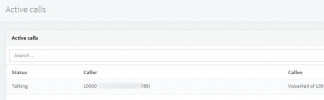
Going through the Activity Log while in Verbose as @leejor mentioned is the best way if you want to trace the call and determine what exactly is happening but what might be a bit easier to start with is looking at the "Number of calls in use" section which is under "Dashboard >> PBX Status" to check where the call is being routed:
1644839993889.png
 
  • Like
Reactions: Evolute IT
I've done this, and it previously showed both external phone lines going to the same extension (for a receptionist). Is it possible that this one extension played a seperate voicemail depending on the line called, before I updated the voicemail?
 
If both DIDs route to the same extension (using rules), the the only difference, from the extension point of view, would be the caller ID. That could be used (extension caller ID forwarding rules), to direct one caller elsewhere. Do both DID rules go to the same extenson, or does one use the trunk "default" route?

Is it possible that at some point, both did not go to the same destination?
 
By the way, just to clarify, are you still facing the issue and can you reproduce this at will or is this something that too now seems to have been resolved?
 
If both DIDs route to the same extension (using rules), the the only difference, from the extension point of view, would be the caller ID. That could be used (extension caller ID forwarding rules), to direct one caller elsewhere. Do both DID rules go to the same extenson, or does one use the trunk "default" route?

Is it possible that at some point, both did not go to the same destination?
issue resolved by forwarding DIDs to a ring group>virtual receptionist>voicemail box. Thank you.
 
Last edited by a moderator:
  • Like
Reactions: ChrisC_3CX
Excellent! Glad to see you got this sorted!

Feel free to post a new if anything else comes up!
 
Status
Not open for further replies.

Forum statistics

Threads
111,974
Messages
590,081
Members
164,899
Latest member
mazet