Need advice moving 3CX installation to my existing Azure VM

Henrico JvR

Customer
Joined
Nov 26, 2025
Messages
14
Reaction score
1
Hi everyone,

I’m hoping someone can help clarify the best way forward.

I deployed a new 3CX system using the Azure Marketplace template. After deploying the VM, I had manually created a full Azure environment for a multi-tenant setup:
– My own Resource Group
– Static Public IPs
– Network Security Groups
– Virtual Network + subnets
– Monitoring (CPU/RAM alerts, diagnostics, etc.)
– Additional data disks
– SSH access and folder redirects
– All naming conventions aligned with our internal standards

I then fully configured everything on what I thought was my own Azure VM.

However, after purchasing the license on the customer portal and linking it to the system, I realised that the deployment from th elicense portal actually created a brand-new VM and a brand-new resource group, completely separate from the VM and resources I originally prepared.

I didn’t notice this at first, and I continued with the full setup (extensions, departments, trunks, etc.). One of our clients is already live on the system.

So right now, my full working 3CX configuration is sitting on the Auto-created VM, but I actually want the system to run on my original Azure VM that I built and prepared for long-term use.


What I need advice on


What is the correct and safest way to move my current 3CX setup, including the license and all the configuration—from the Auto-created VM onto my original Azure VM (the one with the correct resource group, naming, monitoring, disks, etc.)?
 
Hi,

You should be able to just take a Full backup and upload it to a new 3CX installation on the proper VM. There will be some downtime of around 15 minutes while the DNS switches to the new IP, otherwise it should just work.

The wrong VM should be offlined for the move to avoid conflict, but keep it around until you know the move worked out correctly.

If you know the IPs etc associated with the target VM, whitelist them in the PBX before taking the backup, just to avoid any chance of moving into a network segment that was for whatever reason in a blacklist - also whitelist any IPs you know you have SBCs, Trunks etc connecting from, in case any device freaks out for a few minutes and ends up blacklisting itself. This is an above and beyond precaution, but something I would do.
 
Thanks so much, Kyriacos!

How do I upload the backup to the proper VM if I cannot access the 3CX GUI on that VM. I used Azure Marketplace to deploy that VM, but I have never been able to actually access the GUI of it.

I was under the impression that if I purchase the license from the customer portal, I could select the SSH key for the Azure server I want the GUI to be installed on.
 
I see three FQDNs under your account:
search*
solidS*
solidT* (trial/not deployed)

For reference, can you clarify with regards to moving systems, which is meant to be what?
 
The SolidS one is our internal multi-tenant system.

That system is deployed to the wrong VM, and I want to move it over to the correct Azure VM.
 
Which is meant to be the correct one? The solidT is offline, not deployed as far as we can tell, if that is the target then it's not accessible because for some reason it never got deployed.
 
Hi, no the SolidT I created for me to try link it to the already created VM. I did not continue linking it as It was just going to create another new VM and not link to my already created VM I deployed via Marketplace on Azure.

I have deleted SolidT now.
 
You should deploy an instance on your created VM, use trial key, and restore to that. As far as I can tell no instance exists yet on that VM, hence you can't access it.
 
Okay great that is exactly what I want to do.

How do I deploy an instance to the VM I already created?
 
Depends very much on what VM was created. If it's a "barebone" VM you could get our installation ISO (link to it is given if you go through our portal and choose on-prem install), upload and install from that.

Still the simplest would probably be to deploy from Azure marketplace, but I cannot tell you the steps for rolling a marketplace image onto an existing VM. This should be documented within Azure.
 
The VM was deployed via the Azure Marketplace image, and I already have the SSH certificate/key as instructed in your documentation. When I use the installation wizard from the 3CX Customer Portal, it detects the SSH key in Azure, but instead of installing 3CX onto my existing Marketplace-deployed VM, it creates a brand-new VM, which is not what I want.


What I need to understand is this:


How can I deploy a 3CX instance using the 3CX License Portal onto the VM that was already created from the Azure Marketplace image?


In other words, I want to link the license/instance setup to the existing Marketplace VM—not create a new one.


Any guidance or steps on how to perform this would be appreciated.
 
I'll see if I can find some more information, or if anyone else in the forum has some more specific advice for your scenario.
 
Thanks for the help thus far, I really appreciate it!
 
If you deploy from Azure Marketplace, you need to use the "On Premise" option during the 3CX Install wizard online. This way, you will get the XML file directly to link/download to the instance setup wizard (http://<IP>:5015).

If you use the Azure option, it will try to make a new VM. Same applies for Google, DigitalOcean and others.
 
  • Like
Reactions: Henrico JvR
Thanks for responding.

So if I have already deployed a Debian server in Azure with Azure marketplace, I cannot link the 3CX license with that server after I created the VM?

I have to download the iso file from the install wizard and create the VM that way?
 
No, the install from marketplace is basically the iso instantiation part done automatically - at the end of that you get a notification of an IP based URL with port 5015 at the end, where you connect to complete the install.

Completing the install is done by downloading only the XML from the 3CX portal, and uploading it to that IP based URL.
 
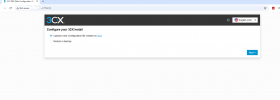
Great, it looks like if I follow this advice I can also upload a backup file to the server. Do you think this way I can restore the entire server to the new server, including the license and FQDN?
 

Attachments

  • 3CX.png
    3CX.png
    26.3 KB · Views: 3
Great, it looks like if I follow this advice I can also upload a backup file to the server. Do you think this way I can restore the entire server to the new server, including the license and FQDN?
Yes you can... that's the whole point of backup and restore :)
 
Thanks so much for everyone who helped. I am up and running on the correct server now!
 
  • Like
Reactions: KyriacosS_3CX

Forum statistics

Threads
111,954
Messages
589,921
Members
164,851
Latest member
DrunkeMeister