


- Joined
- Nov 20, 2017
- Messages
- 55
- Reaction score
- 1
Hi the
we successfully tested 3CX and loved its features. Based on this edition comparison: https://www.3cx.com/ordering/pricing/
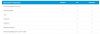
we have now bought a PRO edition license to get access to these features:

I have successfully replaced our testing license with the one we bought then went on hunting to find out how to integrate 3CX with Exchange and AD only to find this link https://www.3cx.com/docs/manual/pbx-crm-integration/ which seems to say that Configuring LDAP Directory Search needs 3CX installed on Windows and even then I need to make changes to my Exchange Setup as detailed here: https://www.3cx.com/docs/manual/pbx-crm-integration/#h.kkqlf5cur2x
Then I find this tutorial: https://www.3cx.com/docs/how-to-create-impersonated-user/#h.xexmf03w8q0v/ talking about Exchange Calendar Status Synchronization which turns out to be wrong, its not Synchronization but a one-way kinda.sync only.
Finally found the tutorial for the Outlook plugin https://www.3cx.com/docs/microsoft-outlook/ and it turns out its a legacy solution but at least it works.
I find myself a bit disappointed. Yes I could have figured this out beforehand but shouldn't the feature comparison page have a warning or mark features which only work with a specific OS as the base of 3CX?
Am I now supposed to migrate my 3CX setup from Linux to Windows?
Did I find the wrong or old links or is this really true that I now have to migrate and if so, does anyone have a link to a tutorial or is it as simple as exporting and importing the config?
we successfully tested 3CX and loved its features. Based on this edition comparison: https://www.3cx.com/ordering/pricing/
we have now bought a PRO edition license to get access to these features:
I have successfully replaced our testing license with the one we bought then went on hunting to find out how to integrate 3CX with Exchange and AD only to find this link https://www.3cx.com/docs/manual/pbx-crm-integration/ which seems to say that Configuring LDAP Directory Search needs 3CX installed on Windows and even then I need to make changes to my Exchange Setup as detailed here: https://www.3cx.com/docs/manual/pbx-crm-integration/#h.kkqlf5cur2x
Then I find this tutorial: https://www.3cx.com/docs/how-to-create-impersonated-user/#h.xexmf03w8q0v/ talking about Exchange Calendar Status Synchronization which turns out to be wrong, its not Synchronization but a one-way kinda.sync only.
Finally found the tutorial for the Outlook plugin https://www.3cx.com/docs/microsoft-outlook/ and it turns out its a legacy solution but at least it works.
I find myself a bit disappointed. Yes I could have figured this out beforehand but shouldn't the feature comparison page have a warning or mark features which only work with a specific OS as the base of 3CX?
Am I now supposed to migrate my 3CX setup from Linux to Windows?
Did I find the wrong or old links or is this really true that I now have to migrate and if so, does anyone have a link to a tutorial or is it as simple as exporting and importing the config?


