need Help in upgrade 3cx 18 to ver 20 in self hosted VM ware win 10 with Patton device

prasad.narasimhan@hilton.

Customer
Joined
Sep 29, 2024
Messages
35
Reaction score
0
Team im new to 3cx and teh current system runs on ver 18 build 19 and need to upgrade tge same to ver 20 .Already i hv downloaded the package 146 Mb and backup also taken

As i have gone through the website / videos says uninstall ver 18 and reboot and install ver 20 and then restore the backup

We are using patton device here for SIP truncks

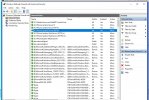
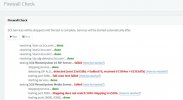
Also in FW check i hve seen couple of errors ..But the system is running normal

So can someone help to upgrade so that the system will work smooth after all these new updates. The support is limited here
Also do i need to do some other upgrades before the new version installation??

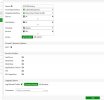
sip.jpgFW.jpg
 
Also in PC inbound rules can see configurationFW inbound PC.jpg but not ant in outbounds
 
Do you have multiple network adapters (other than loopback)?

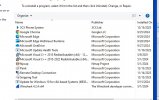
I see that Skype is installed, please uninstall it. Is there anything else installed on this machine? A softphone perhaps?

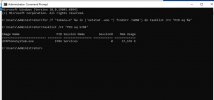
Run the following command (as admin) on Windows:

Code:
for /f "tokens=5" %a in ('netstat -ano ^| findstr :5060') do tasklist /FI "PID eq %a"
 
No skype installed and attachingprograms.jpgscript.jpg the result of script as well
 
also do i need to run command in FW config SIP status disable ..its not done i hv seen in some videos
 
In the Command Line Interface (CLI) run the following commands:
  • config system settings
  • set default-voip-alg-mode kernel-helper-based
  • set sip-helper disable
  • set sip-nat-trace disable
  • end
 
i have executed the same in fortigate but results were same..not restarted though

  • testing 3CX PhoneSystem 01 SIP Server... failed (How to resolve?)
    • stopping service... done
    • detecting SIP ALG... not detected
    • testing port 5060... full cone test failed (How to resolve?)
    • starting service... done
  • testing 3CX PhoneSystem Media Server... done
 
Hi so what i can do to fix this as i need to channge version to 20 as well
 
CLI fortigate
  • config system session-helper
  • show
Share
 
Connected
FG100ETK18010311_Koi # config system session-helper
FG100ETK18010311_Koi (session-helper) # show
config system session-helper
edit 1
set name pptp
set protocol 6
set port 1723
next
edit 2
set name h323
set protocol 6
set port 1720
next
edit 3
set name ras
set protocol 17
set port 1719
next
edit 4
set name tns
set protocol 6
set port 1521
next
edit 5
set name tftp
set protocol 17
set port 69
next
edit 6
set name rtsp
set protocol 6
set port 554
next
edit 7
set name rtsp
set protocol 6
set port 7070
next
edit 8
set name rtsp
set protocol 6
set port 8554
next
edit 9
set name ftp
set protocol 6
set port 21
next
edit 10
set name mms
set protocol 6
set port 1863
next
edit 11
set name pmap
set protocol 6
set port 111
next
edit 12
set name pmap
set protocol 17
set port 111
next
edit 14
set name dns-udp
set protocol 17
set port 53
next
edit 15
set name rsh
set protocol 6
set port 514
next
edit 16
set name rsh
set protocol 6
set port 512
next
edit 17
set name dcerpc
set protocol 6
set port 135
next
edit 18
set name dcerpc
set protocol 17
set port 135
next
edit 19
set name mgcp
set protocol 17
set port 2427
next
edit 20
set name mgcp
set protocol 17
set port 2727
next
end
 
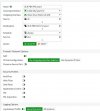
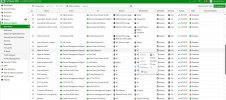
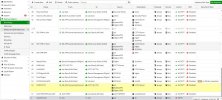
also i have seen 2 3cx rules in Fw 3cx 1.jpg3cx 3.jpg3xx 2.jpg
 
Do you have anything else on your network using port 5060? Like another phone system? Are 3CX rules prioritized over everything else?

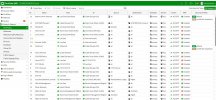
Share the IPv4 policy (the entire page).

Share the outbound policy (the entire page).

The issue is either with the outgoing or incoming traffic.

Here, the system isn’t receiving any response. It’s not a problem of response going to the wrong port; the traffic didn’t return, either because it couldn’t exit to the internet or because it couldn’t pass back through the firewall.

Do you limit outbound traffic?
Create outbound policy for 3CX and move to priority
 
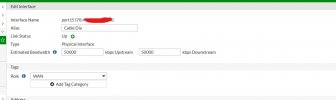
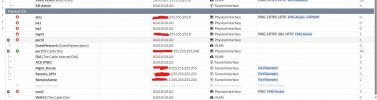
i have moved the exixting 3cx policy to 2nd ..not restriced any trafficinteface.jpgphysical if.jpgf1.jpgf2.jpgf3.jpgststic route.jpg
 
Create outbound policy for 3CX and move to priority ?? the exixting one is not enoghg then can you pls guide me
 
with out fixing can i upgrade to v20 as uninstall old ,install new v 20 and restore the backup??or anything need to perform additional for new version upgrade. If the port 5060 is not communicating with server what could happen as all places it configured correctly o believe until we find a glitch
 
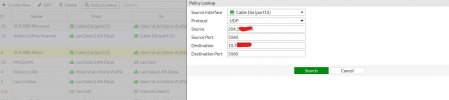
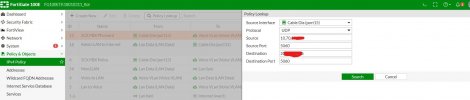
When using Policy Lookup to test outbound and inbound traffic for 3CX (port 5060), are the correct policies being used?

IMG_7152.jpeg
 
with out fixing can i upgrade to v20 as uninstall old ,install new v 20 and restore the backup??or anything need to perform additional for new version upgrade. If the port 5060 is not communicating with server what could happen as all places it configured correctly o believe until we find a glitch


The fact that port 5060 is not functional could cause issues with phones if they are remote and not using a tunnel (VPN or SBC). The same applies to the provider if you are not using the register method.

It’s not ideal, but you could upgrade to v20 and schedule a resolution for another day.

It should still work, especially if your phones are local or connected via VPN.
 
yes when i select the WAN interface which is port 15 and source as local 3cx ip and destination as WAN IP the first one (ID 11) getting highlighted when i use source as WAN IP and destination as 3cx ip the 3rd policy which is ID 6 is getting highlighted


pol lk 1.jpgpol lk.jpg
 
All the phones are connected inside the premises only and no remote phones configured at the moment
So for upgrade as i hv suggested take back up / un install and reinstall then upload teh old back up ..is it will restore all the current setting and will the 3cx become online again???

Also ihave seen wire shark and npcap in all the 3cx servers. Is it mandatory. The guy who intalled 3cx is no mor workign and getting support also bit difficult and hence i m planning it my own
 
Also through wireshark will be able to detect the exact issue??
 
one more thing my subscription ends by 10/16/2024 .so if i get a new license key should i wait till 16 or if renew now which date will chose for expiration. Next year 16 or the day i have updated new license
 

Latest Posts

Forum statistics

Threads
112,285
Messages
591,705
Members
165,408
Latest member
tom.walker@blackcountryra