New 3CX & Pipedrive integration call journalling issues in V20 Beta 1

Status
Not open for further replies.

weboptimizers

Forum User
Joined
Nov 3, 2021
Messages
8
Reaction score
1
Hi there,

Setup the 3cx pipedrive integration based on instructions here.

Everything seems to be working except the calls log on the contact & org view instead of the lead view.

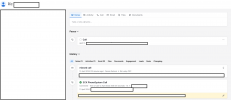
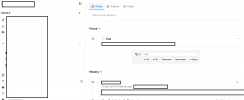
Here is the call log on the contact

Screenshot 2024-04-12 at 10-23-46 Ric Leahy CSC - Person.png


here is the lead view

Screenshot 2024-04-12 at 10-24-08 Leads Inbox.png


As you would note, the call should really log at the lead level not the contact or org level...
 
This is by design as the report is in the call log:
<Request SkipIf="[ReportCallEnabled]!=True||[EntityId]==&quot;&quot;" Url="[ApiDomain]/v1/callLogs" MessagePasses="0" Message="" RequestContentType="" RequestEncoding="Json" RequestType="Post" ResponseType="Json">
 
Thank you for responding - I am saying it shouldn't be because we use pipedrive and I can tell you with certainty that this is completely unusable without the call actually logging into a deal or a lead..

Here is a working template I wrote using some older templates and the 3cx template creator
https://github.com/modestcrab/3CX-Pipedrive-Integration/blob/main/pipedrive.xml

This one just works seamlessly and adds the call onto the lead.

<Scenario Id="ReportCall-GetLead" Type="REST">
<Request Url="https://api.pipedrive.com/v1/leads?owner_id=[CRMUserID]&amp;person_id=[PersonId]&amp;api_token=[APIkey]" MessagePasses="0" RequestEncoding="UrlEncoded" RequestType="Get" ResponseType="Json" />
<Rules>
<Rule Type="Any">data.id</Rule>
</Rules>
<Variables>
<Variable Name="LeadID" Path="data.id">
<Filter />
</Variable>
</Variables>
<Outputs Next="ReportCall-GetDeal" AllowEmpty="true" />
</Scenario>
<Scenario Id="ReportCall-GetContact" Type="REST">
<Request SkipIf="" Url="https://api.pipedrive.com/v1/searchResults?term=[Number]&amp;item_type=person&amp;start=0&amp;api_token=[APIkey]" MessagePasses="0" RequestEncoding="UrlEncoded" RequestType="Get" ResponseType="Json" />
<Rules>
<Rule Type="Number">data.details.phone</Rule>
</Rules>
<Variables>
<Variable Name="EntityId" Path="data.id">
<Filter />
</Variable>
</Variables>
<Outputs Next="" AllowEmpty="false" />
</Scenario>

Of course, that one is not out of the box integreation and doesn't use an app to authorize.

However, it logs the call on the deal and the lead which gives you a clear picture of the progress of either a lead or a deal. Nobody in our organization goes to the contact view or the org view to check activities. We have six users for what its worth.
 
I totally understand but the template is created and tested based on the default values.
It is good that you shared your project for others in the community and of course you can use the custom template based on your needs.
 
I totally understand but the template is created and tested based on the default values.
It is good that you shared your project for others in the community and of course you can use the custom template based on your needs.
@TheodorosG_3CX - I think integrating this is crucial and I suppose it only requires including 8-10 additional lines for this to work perfectly. If you edit the XML installed in 3cx , does it break anything ?
 
You can export the template, edit and upload it in the PBX.
This will not break the PBX globally but if there is an issue with the template it might affect the CRM integration.
In any case using a custom template requires to test this from your side.
 
You can export the template, edit and upload it in the PBX.
This will not break the PBX globally but if there is an issue with the template it might affect the CRM integration.
In any case using a custom template requires to test this from your side.
Thank you...

Much appreciated...

I will look into this and update this thread for other pipedrive users. Please don't close this thread.
 
Of course, let us know the outcome
 
Hi @TheodorosG_3CX

First - After putting in a bit of time on this, there are certain challenges and am wondering if you could point me in the right direction.

I created the initial template using the 3cx template generator.
Since the new pipedrive integration uses OAUTH I am unable to use the template generator as this doesn't seem to take inputs for refresh token and also doesn't have a way to enable Oauth verification.

How would I test and create scenarios using the new implementation of Oauth while using the template generator ?

Second - Furthermore, I looked up the Add Call Log API docs on pipedrive here.
As you would note there are both leadid and dealid fields to associate a calllog. See below

deal_id
integer
The ID of the deal this call is associated with. A call log can be associated with either a deal or a lead, but not both at once.

lead_id
string
The ID of the lead in the UUID format this call is associated with. A call log can be associated with either a deal or a lead, but not both at once.
Format
uuid

In order to fetch the associated lead or deal ID - I would need to run additional API calls..
Can you let me know whats the best way to test all this without using production ?
 
Hello @weboptimizers,

You don't need to start from scratch to edit the Pipedrive template. You can just open the existing template with the CRM Tool and you will be able to make changes to it. The authentication is a bit tricky, as it's not standard OAuth2, I would recommend that you stick to what's implemented which works well.

You just need to edit the call journaling scenarios. You will need to run chained scenarios, so you first get the Lead ID , and then you create the call log. You can do this by setting the Next attribute in the Output element. You can check the existing templates provided by 3CX as an example, as this is done very frequently.
 
  • Like
Reactions: Evolute IT
Status
Not open for further replies.