New SIP trunk not calling

Status
Not open for further replies.

HP_Support

New User
Joined
Jun 28, 2022
Messages
4
Reaction score
0
Hi,

We have recently setup 3CX to use with a couple of mobiles, in order to evaluate the platform for future use.
As advised we made use of a recommended SIP trunk provider (brightstar). They have provided us 2 numbers, the main and a 2nd DDI/DID.

After following the guide and watching the video it was quite simple to put the trunk details into the console.
However now we are unable to call out or able to call into the DDI. The talk links do work and the phone (android) app does ring and make a call usin gthe call links.
Calling from the app just gets a busy tone, calling from outside to the app gets a network message of "the number you're calling is unavailable"

Is there an activation period after applying the SIP trunks?
We had assumed it would be fairly instant, so far only been around 2 hours. We have contacted Brightstar also for assistance, in case this is an Trunk issue and not a 3CX issue.

Thanks for reading our issue, we hope you can help.

Kind regards,
Luke
 
Just to confirm,

The main line, incoming calls work , outbound does not ?

DDI number - incoming calls fail - if so any message. Outbound calls work ?

is this the document you followed - https://www.3cx.com/docs/brightstar-uk-sip-trunk/

Run you run the firewall test, does it pass
 
Last edited:
Hi, thanks for commenting.

No, we can't make incoming or outgoing calls. Incoming report "it has not been possible to connect your call" from the calling phone.
outgoing, just 4 quick beeps like an engaged tone and then the call ends. we are dialing out from the android app.

There are no IP phones connected for our testing at this time. Just one mobile using the app.

The Talk links do work for incoming calls.

Some of the help documentation is talking about setting up routing for incoming and outgoing calls. I can't find these settings in any of the menues. Maybe the video is for an older version of the software?

We have not run the firewall test as we are not running this on any equipment that is behind a firewall.
A single mobile device with the app is all we're running at this early stage. Using the 4G network.
We have not tested on the wifi yet
 
How is the 3cx server connected to the internet ? Give as much info as possible

For outbound call you need to setup the rules - https://www.3cx.com/blog/voip-howto/outbound-rules-a-complete-example/

For incoming calls, you setup the destination under the main sip number 'Route Calls to'

The DDI number you add to DID's under the sip number for the main number. Routing is done under Inbound Rules - DID rule.
 
Last edited:
sorry 100% new to this.

It's 100% hosted solution. the free 10 user trial.
we have arranged 2 SIP numbers on a 30 day trial also, from yesterday. The SIP people confirmed that the Trunk was active before they gave me the login details.

It must be something I've missed on the setup of 3CX.

I'm logged into phone app as the first account, which is also the admin for the portal.

in the portal the call group has all the users, it's set to ring all at the same time. working hours are 9-17:30, out of hours just left it calling the app number too, as this is a test device and not numbers we are sharing with the public.

anything else I have missed?

Kind regards,
 
I take it you set up outbound rules? I would try a test call, then check the 3CX Activity log (Verbose setting), to see what is happening with the calls. It would first have to match an outbound rule, then route to the trunk to your provider, then be accepted by them. If any of these fail, the Log will show this.

On inbound calls, again, check the Activity Log to see if calls are reaching 3CX, and if they are, what is happening. On trunks, you choose a default destination to be used if the DID rule information you fill in does not match what is sent by your provider. Perhaps your default destination is not available.
 
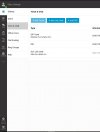
No, I have been looking for these settings which I can't find. the setup document just says to set these up but it's not available in the menu?
Get the feeling that there is another console rather than the one I'm using?

3cx.JPG
 
Last edited:
Hi @HP_Support

You are using the 3CX StartUP so setup is just what you are seeing there. One thing that you might need to do is to tell Brightstar that you will be using 3CX StartUP since they made a registrar FQDN just for this purpose. If they have you on a different SBC your trunk might not be able to register.

Check with them and let us know how it goes.
 
Status
Not open for further replies.

Members Online Now

No members online now.

Forum statistics

Threads
111,831
Messages
589,277
Members
164,660
Latest member
RJenkinsROCK