Newbie help needed setting up International Calls

wabsys

SMB User
Joined
Jul 9, 2008
Messages
3
Reaction score
0
I am new to 3cx and using the guides i have managed to setup 85% of the system with virtually no problems. The odd glitch had to be rectified but I managed to sort them.

International calling on the other hand i can't seem to grasp what i need to set and the guide is based on American calling which confused me. Has anyone got a simple guide / screenshot who is based in the UK of the setup for international calling that i could use to help me set it up our system.

Thanks in advance.

James
 
1. Check your SIP is allowing you to dial internationally.
2. Check under security you have enabled the country you're trying to dial.
3. To exit the UK you dial 00, make sure you have an outbound rule that allows this.
 
  • Like
Reactions: DimitrisL_3CX
Hello @wabsys,

As I can see you have an SMB installation.

As mentioned by @Alphabetic
You will have to first contact your provider and make sure that you are able to dial Internationally and check your Outbound rules that are properly configured so you can make the call.
The Allowed Countries are enabled in the SMB installations so no need to check this.
 
Thanks for that, its the outbound rule is the bit i get stuck with. I have setup mobile, 999 etc but cant get my head around how to put the rule in.
 
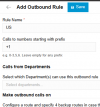
Create an outbound rule and put the Calls to numbers starting with prefix as 00, this allows you to dial with a 00 then ensure that the country code youre trying to dial is selected.
 
You dont need to make an outbound rule for 999 as this is defined as an emergency number in the system > emergency page.
 
The SMB Free does not have a restriction on the countries you can dial, so to control the dialling to specific countries you will need to do the following:

1. Choose which countries you want to allow international dialling. Lets say, Ireland and Cyprus (I'm in Cyprus, so why not?)
2. Create a rules with a prefix of 00353,00357
3. Optionally you can select the extensions which would be allowed to dial the international destinations.
4. You can also create the rule as +353,+357 or even have both!

Outbound rules are processed in a top down, first matching fashion, so ensure that the rules do not clash with anything on the top.
 
I am unable to make US and Canada calls whenever I try it say me " Call forbidden by administrator". But I am able to make calls in UK. Please check and let me know.

1762188458025.png
 
"Not allowed"

check your allowed country codes under the Advanced > Allowed Country Codes tab.
 
Please guide me the steps
 
Believe it or not: Admin > Advanced > Allowed Country Codes
 
I can't see advance in my admin console
 
Please guide me in detail so that I can make changes
 
oh youre SMB. I havent played much with this but i think its managed by outbound rules.

try creating an outbound rule like this:

1762188986628.png

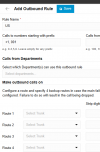
If your SIP provider isnt in the US / Canada then you'll need to create a rule to specify calling out to the US.

1762189054158.png

Youd have to dial to the US 00 (to dial outside your country) 1 (US prefix)

0016476416881
 
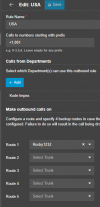
Its still not working. Tried using this as well

1762189357313.png
 
Do you get the same error in activity log? Have you checked with your SIP provider you can dial internationally?
 

Members Online Now

No members online now.

Forum statistics

Threads
111,831
Messages
589,277
Members
164,660
Latest member
RJenkinsROCK