


- Joined
- Feb 6, 2020
- Messages
- 18
- Reaction score
- 3
Hi,
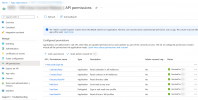
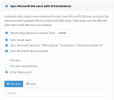
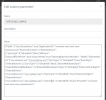
today we activated the M365 Integration (successfully we think). But after the Step 4 Point 5 (https://www.3cx.com/docs/microsoft-365-integration/) we can not access the settings page anymore. All that happens if we try to access https://INTERNALIP:5001/#/app/settings/office365 is a more or less empty page with the headline "Microsoft 365-Integration", OK-Button and Cancel Button - nothing more. After some time we get a "Server Error" "The 3CX-Management Console is not responding. This may be a browser issue - clear your browser cache, refresh an try again" - Message. We tried that and even installed a new portable browser - no change. We are also waiting now for about 6 hours - I do not thing that we are to impaitent for the connection to be established. As far as we can see it from the azure side the connection seems to be established.
today we activated the M365 Integration (successfully we think). But after the Step 4 Point 5 (https://www.3cx.com/docs/microsoft-365-integration/) we can not access the settings page anymore. All that happens if we try to access https://INTERNALIP:5001/#/app/settings/office365 is a more or less empty page with the headline "Microsoft 365-Integration", OK-Button and Cancel Button - nothing more. After some time we get a "Server Error" "The 3CX-Management Console is not responding. This may be a browser issue - clear your browser cache, refresh an try again" - Message. We tried that and even installed a new portable browser - no change. We are also waiting now for about 6 hours - I do not thing that we are to impaitent for the connection to be established. As far as we can see it from the azure side the connection seems to be established.


 .
.


