No Search Function in CRM Integration Wizard / Template Generator

Louilang

Customer
Basic Certified
Joined
Mar 4, 2025
Messages
7
Reaction score
1
Hi everyone

I wonder why there is no search function like at point 5 in the manual https://www.3cx.com/docs/crm-integration/
i have a xml file which works on incoming calls however i would like to search contacts in the crm from the webclient / deskop app
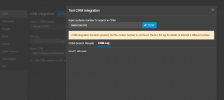
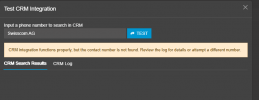
When i test in the 3cx Console under Integration -> CRM -> Test i can only search for numbers, but not for names

I have version 2.1.24.0 of the CRM Integration Wizard which seems to be the newest

Any ideas?
 

Attachments

Use a scenario basically copied from the lookup, but with ID = SearchContacts

The variable for the search input is [SearchText]

Output should be same as lookup.
 
Thank you so much for the quick reply!
I'll give it a try tomorrow
 
  • Like
Reactions: Evolute IT
Thank's again, but i somehow don't get it
When i create a xml file with ID = SearchContacts and variable? = [SearchText] i get "Result Obtainded" in SRM Log

I think i messed it up in the xml file, but have no clue since i'm not used to work on xml files
1742885581822.png
1742885593498.png
 

Attachments

You cannot test those other scenarios. Only the lookup one.

The others have to be tested in real-world scenario.
 
Ok thank's again
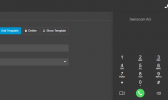
when i try searching for example Swisscom AG in the webclient, no results are shown
1742889513367.png
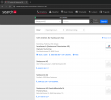
But online there are several results
1742889699112.png

It does not matter if i search for a single Entry, say a private person who has only one entry. It still does not show any results in the Webclient
However it does't even show an entry when i search for a number in the webclient. it only shows contacts from previous calls which got added to CRM contacts in 3CX
 
Check your scenarios and outputs, and restart services. Make sure you're calling an API and not a webpage.

The feature works, we use it all the time, but you gotta setup your template for it. We cannot assist much more with custom apps.
 
If you need more information, enable verbose logs, and then run a test search from the web client, and check the 3cxManagementConsole.log. That's where the details are sent for this operation.
 
  • Like
Reactions: Evolute IT
Thank's guys for your answers! i'll check and report, busy with other stuff too at the moment;)