- Joined
- Apr 17, 2018
- Messages
- 6
- Reaction score
- 0
Hello,
We are currently experiecing an ongoing issue with our Yealink T46S phones and 3CX that we need some assistance in tracking down. When we upgrade Branch office Firewalls firmware; some of the phones at those branch offices will go to a "No Service" status while others will reconnect when the firewall and VPN tunnels are re-established. This same phenomenon has occured in the past after a power outage. This issue does not occur consistently however as out of 8 firewall updates completed in a night, only one office will have these complications.
Detail on our setup:
When this issue occurs at branch office (ex: firewall reboots.) Firewall is down for maybe 2 to 5 minutes. Once firewall is back internet returns and VPN tunnels come back up. Some phones come back up without an issue. Other phones show "No Service". Unplugging those phones for 2 minutes usually gets them to register again, however some phones need to be reset to factory and reprovisioned.
In testing we can see "No Service" phones are fully able to ping the PBX server across the tunnel. And the traceroute from the phone shows traffic traversing the tunnel as expected. DNS is resolving correctly to the internal IP address of the 3CX server.
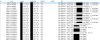
Capturing packets with Wireshark on the server, we can see the PBX recieving register requests from the phone and responding that authorization is required. However this cycle just repeats itself over and over and over and the phone never registers. The phone remains in a "register failed" state. See screenshot from Wireshark below.
This issue does not happen in a consistent and repeatable manner so it has become hard to track down. However Firewall FIrmware updates seem to the most reliable way of triggering it.
Any help and advice would be greatly appreciated in tracking down the cause of this issue!
We are currently experiecing an ongoing issue with our Yealink T46S phones and 3CX that we need some assistance in tracking down. When we upgrade Branch office Firewalls firmware; some of the phones at those branch offices will go to a "No Service" status while others will reconnect when the firewall and VPN tunnels are re-established. This same phenomenon has occured in the past after a power outage. This issue does not occur consistently however as out of 8 firewall updates completed in a night, only one office will have these complications.
Detail on our setup:
- 3CX locally hosted on dedicated server in corporate office with NIC team consisting of two interfaces with a single IP address.
- All branch offices connect to corporate office via Branch Office Virtual Interfaces (VPN Tunnels)
- All VPN routing is handled with OSPF
- All phones are provisoned to internal DNS name rather than IP address of PBX
When this issue occurs at branch office (ex: firewall reboots.) Firewall is down for maybe 2 to 5 minutes. Once firewall is back internet returns and VPN tunnels come back up. Some phones come back up without an issue. Other phones show "No Service". Unplugging those phones for 2 minutes usually gets them to register again, however some phones need to be reset to factory and reprovisioned.
In testing we can see "No Service" phones are fully able to ping the PBX server across the tunnel. And the traceroute from the phone shows traffic traversing the tunnel as expected. DNS is resolving correctly to the internal IP address of the 3CX server.
Capturing packets with Wireshark on the server, we can see the PBX recieving register requests from the phone and responding that authorization is required. However this cycle just repeats itself over and over and over and the phone never registers. The phone remains in a "register failed" state. See screenshot from Wireshark below.
This issue does not happen in a consistent and repeatable manner so it has become hard to track down. However Firewall FIrmware updates seem to the most reliable way of triggering it.
Any help and advice would be greatly appreciated in tracking down the cause of this issue!