No speech from one provider

Status
Not open for further replies.

jofer

Silver Partner
Advanced Certified
Joined
Dec 5, 2012
Messages
119
Reaction score
10
I have 3cx v18 update 3 built 461 running on Windows 2016 R2 server in a DC, WAN links connected to various sites over MPLS through firewalls.
My Yealink devices on site are upgraded with 76.84..0.95 for the T40G.
Calls from providers like local telecom, Vodacom, Cell-c and any other ware working fine. Only calls from 1 specific provider MTN results in no speech.
When I set the phone register protocol to TCP then the call works fine. But switching back to UDP it results in no speech from this provider.

Any ideas out there?
 
When I set the phone register protocol to TCP then the call works fine. But switching back to UDP it results in no speech from this provider.
This is a good hint, it's telling you that there is something wrong either with UDP transport on your network (maybe) or the SDP contact IPs (most likely the problem)

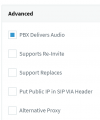
I hope that your MTN trunk is setup like below. If not, that should be your first thing to try
1648638633907.png


If that does not help, I think you should capture a call on the PBX, and at the same time capture it on the Yealink.
You then need to analyze the captures in wireshark and find out what is happening.
 
  • Like
Reactions: jofer
This is a good hint, it's telling you that there is something wrong either with UDP transport on your network (maybe) or the SDP contact IPs (most likely the problem)

I hope that your MTN trunk is setup like below. If not, that should be your first thing to try
View attachment 29120


If that does not help, I think you should capture a call on the PBX, and at the same time capture it on the Yealink.
You then need to analyze the captures in wireshark and find out what is happening.
Thank you John, I am on it.
 
  • Like
Reactions: JohnS_3CX
This is a good hint, it's telling you that there is something wrong either with UDP transport on your network (maybe) or the SDP contact IPs (most likely the problem)

I hope that your MTN trunk is setup like below. If not, that should be your first thing to try
View attachment 29120


If that does not help, I think you should capture a call on the PBX, and at the same time capture it on the Yealink.
You then need to analyze the captures in wireshark and find out what is happening.
Hi John

On the extenison options there is also a tick for support re-invite, I had to remove that and that worked for me.

I have tested all calls and transfers and all seems to be working fine now.
 
Hi Johan,

The problems usually occur when you enable those options on trunks, not on extensions.

Basically what you did now does the exact opposite effect of the thing I suggested.

Normally the extension options should not be changed, those are OK. Otherwise, one problem you may have is that if I call you and make an attended transfer, your phone will still show my extension even after you are connected to the other caller. Also when internal calls are made (extension to extension) the audio will not be able to flow between endpoints directly - the PBX will always have to carry the load and proxy the audio.
 
Hi Johan,

The problems usually occur when you enable those options on trunks, not on extensions.

Basically what you did now does the exact opposite effect of the thing I suggested.

Normally the extension options should not be changed, those are OK. Otherwise, one problem you may have is that if I call you and make an attended transfer, your phone will still show my extension even after you are connected to the other caller. Also when internal calls are made (extension to extension) the audio will not be able to flow between endpoints directly - the PBX will always have to carry the load and proxy the audio.
So I should enable the re-invite back on the extension then?
But then I have the same issue again, or do I enable it on the trunk side as well?
Not sure what to do next.
 
Below you will see the expected configuration.
This should provide you with maximum compatibility.
Does it work when you setup like below?

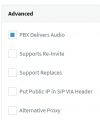
Trunk should look like this:
1648649812463.png

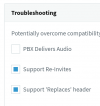
All Extensions should look like this:
1648649860145.png
 
Status
Not open for further replies.

Forum statistics

Threads
111,832
Messages
589,284
Members
164,662
Latest member
DejanMDS