NONE OF MY PHONES ARE WORKING

Status
Not open for further replies.

carlos123

Bronze Partner
Joined
Oct 25, 2016
Messages
25
Reaction score
3
Hi there, all of my phones are down, since yesterday the curious about this issue is because is showing on red all my extensions and when i click on the phones none of those are showing on this list, I try to add them and
immediately tell me the mac address is assigned to other, obliviously, I check all the system and all the ports are opened, I check the firewall check and everything is on green, yes I do have Internet in all the workstation in my company, can you please help me to figure out why this is happening?
 
Hi there, all of my phones are down, since yesterday the curious about this issue is because is showing on red all my extensions and when i click on the phones none of those are showing on this list, I try to add them and
immediately tell me the mac address is assigned to other, obliviously, I check all the system and all the ports are opened, I check the firewall check and everything is on green, yes I do have Internet in all the workstation in my company, can you please help me to figure out why this is happening?

Blacklisted IP?

Are you using SBC, local or STUN provisioning?
 
Here is the information about my installation
  • 3CX Version, Professional Perpetual V16.0.622
  • Server OS, windows 10
  • Is the 3CX Server Hosted and where? Local server in the office
  • IP Phone Make/Model/Firmware YEALINK T41S
  • Provisioning Method: Local
  • Trunk Provider VOIP.MS
  • Has the Firewall Checker passed: YES
  • Are custom Phone Templates being used: NO
I forgot to mention the app extensions in the Iphone phones still working without any problem...

Thank you.
 
Here is the information about my installation
  • 3CX Version, Perpertual V16
  • Server OS, windows 10
  • Is the 3CX Server Hosted and where? Local server in the office
  • IP Phone Make/Model/Firmware YEALINK T41S
  • Provisioning Method: Local
  • Trunk Provider VOIP.MS
  • Has the Firewall Checker passed: YES
  • Are custom Phone Templates being used: NO
I forgot to mention the app extensions in the Iphone phones still working without any problem...

Thank you.
Is the PBX on a different subnets than the phones or did it change IP for any reason?

The phones should be able to register locally without any big issues. When you say the iPhone app still works, is it configured to use the local IP when in the office?
 
Good question, everything is under the same subnet and the ip doesn't change.

The Iphones are not configured to work locally, I'm working remotely and my Iphone still working same as a couple Iphones I have on my company.

thank you for your questions.
 
On one of the phones, can you log into the gui frontend and check the account settings - to see where it is pointing to

On the Win10 machine, do you have any antivirus / firewall software installed ?

Are you using spilt DNS, where the internal phones are using fqdn instead of IP address. If so can you resolve the fqdn internally ? You can check the settings - under provisioning - select interface.

Has the IP address of the Win10 machine changed ?
 
On one of the phones, can you log into the gui frontend and check the account settings - to see where it is point.

On the Win10 machine, do you have any antivirus / firewall software installed ?

I don't have any antivirus/Firewall installed on this server

and I'm not able to login into the gui front end to check the account settings. also just for your information I already reset one of those phones to factory defaults and still not working.
 
Have you rebooted the server ?

Are all the 3CX services running, except 3cx Hotel service.

When you factory defaulted the phone, does it appear under Phone to assign to an extension. If it does try assigning it , before assigning to an extension, you need to delete the existing config for the mac address

Select the extension that has the phone mac address configured - Phone Provisioning - select the phone and click on delete

1597155069376.png

Restart the phone, and see if you can assign it to the extension
 
Have you rebooted the server ?

Are all the 3CX services running, except 3cx Hotel service.

yes sir I rebooted the server, Router and Modem to see if this help.

Are all the 3CX services running, except 3cx Hotel service. This is correct.
 
Have you looked at the 3CX Activity Log, to see if there are any logs, showing the sets attempting to register? Is there any additional hardware between 3CX and the sets? A switch?
 
Have you looked at the 3CX Activity Log, to see if there are any logs, showing the sets attempting to register? Is there any additional hardware between 3CX and the sets? A switch?

There is not any aditional hardware, and yes we have a cisco msv320

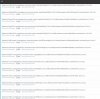
I checked the logs and is not showing, the image show the log file (the last lines)
 

Attachments

  • logs.JPG
    logs.JPG
    122.9 KB · Views: 11
  • FmpError.png
    FmpError.png
    453.5 KB · Views: 11
Last edited:
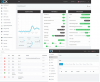
I would take down that Dashboard page, it gives people too much information about your system. The log attachment seems to indicate that system extensions/services, are also not working.

If you re-boot a set, then check the log, is there anything? Are you able to successfully run the Firewall checker? Perhaps there is a problem with port 5060, on the server, as the iPhone(working) may be using the tunnel, remotely, on a different port.
 
I would take down that Dashboard page, it gives people too much information about your system. The log attachment seems to indicate that system extensions/services, are also not working.

If you re-boot a set, then check the log, is there anything? Are you able to successfully run the Firewall checker? Perhaps there is a problem with port 5060, on the server, as the iPhone(working) may be using the tunnel, remotely, on a different port.

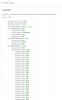
Here is the log after the after the firewall checker.

08/11/2020 2:42:52 PM - Updating device Dev(311956626):[sip:[email protected]:5063;rinstance=7d11f4cf7a9500b9 / 90000] by message: DevUpd Recv Req REGISTER from 127.0.0.1:5063 tid=ba6a2240a91fb623 Call-ID=qVs-PB25RZqmdRr-dg7jWQ..: REGISTER sip:127.0.0.1:5060 SIP/2.0 Via: SIP/2.0/UDP 127.0.0.1:5063;branch=z9hG4bK-524287-1---ba6a2240a91fb623;rport=5063 Max-Forwards: 70 Contact: <sip:[email protected]:5063;rinstance=7d11f4cf7a9500b9> To: <sip:[email protected]:5060> From: <sip:[email protected]:5060>;tag=e30a193e Call-ID: qVs-PB25RZqmdRr-dg7jWQ.. CSeq: 558 REGISTER Expires: 60 Allow: INVITE, ACK, CANCEL, OPTIONS, BYE, REGISTER, SUBSCRIBE, NOTIFY, REFER, INFO, MESSAGE Proxy-Authorization: Digest username="90000",realm="3CXPhoneSystem",nonce="414d535c154377ab87:30b828f205b51d4209196321d5f98074",uri="sip:127.0.0.1:5060",response="a326b9548c187345306b49d4345928a6",algorithm=MD5 Supported: replaces User-Agent: 3CX WebRTC proxy Content-Length: 0
 

Attachments

  • fmp3.JPG
    fmp3.JPG
    45.1 KB · Views: 5
Earlier you had said you were using a local server, in the office. You now say you are using an external FQDN. Does that mean your sets are registering using that FQDN, and you have configured your router to redirect to the local IP of the server?

Your answers to the previous question is not clear.

Was this working previously and just stopped all of a sudden?
 
Last edited:
Earlier you had said you were using a local server, in the office. You now say you are using an external FQDN. Dos that mean your sets are registering using that FQDN, and you have configured your router to redirect to the local IP of the server?

Your answers to the previous question is not clear.

Was this working previously and just stopped all of a sudden?

Yes the switch is configured to redirect to the local ip.
 
Status
Not open for further replies.

Forum statistics

Threads
111,956
Messages
589,928
Members
164,861
Latest member
LewisJC