Solved NSA 2600 FW 6.5.4.4-44n no full cone nat

Status
Not open for further replies.

benf

Bronze Partner
Basic Certified
Joined
Sep 27, 2017
Messages
123
Reaction score
12
Hi all, first I will say that we have at least 10 Sonicwalls configured and working with 3CX no issue. This is a brand new (Sep/19) Sonicwall NSA 2600 device. Following the typical steps I continue to get no full cone nat. I know the 'check port remap' should be it. I tried doing the rules with the wizard and making a reflexive. I tried doing it by hand. I tried setting the 'interface' from ANY/ANY to ANY/X1 and X1/ANY as some people have suggested. Nothing changes.

As a 'goof' I dropped in a TZ series, configured it as normal and everything works . So I am fairly confident there is something on this new firmware that is NOT right.

Emailed support just to ask if there is a known issue with the firmware or device and unfortunately got the 'we dont support firewalls' generic response.

I saw some other people here mention the NSA2600 and seems it was always a firewall setup, but after redoing this a few times on this device and wiping it out I am starting to think something has changed and was hoping someone may know if its even possible with these new Sonicwalls13353133541335513356

 
Hi,

Just curious, has the FW been rebooted after the changes (just in case anything is stuck)?
 
Yes good point. I did reboot it. This is also an HA cluster so it rolls over to the other device (same config) and didnt work. But yes definitely reboot a few times. I keep thinking its the SIP ALG which is 'off' and I played with Consistent NAT on/off and a few other voip options. This firmware is NEW in that the VOIP has a 'rule' based option where it only applies to a 'rule' not the whole device and there is a SIP Translation 'check box' at the bottom of the FW rulebox (which is also new to me)

Oh - also just the testing 5060 full cone nat failed is the issue. All the other ports and tests pass 9k-10999k etc .. all green. JUST 5060. I was debating maybe putting it on a different port but the vendor only supports 5060 so I would have to NAT IN 5060 > Random and then RANDOM > 5060

13358
 
Might be worth contacting the manufacturer for this one, especially if it is new FW and other members may have not yet come across it.

Unless you have the possibility of course to go a version down to a previous "known good" release.
 
Going to try that, not sure because we are dropping the 3cx now from asterisk (which works on this fw btw, but uses SIP ALG). I pulled the HA one, wiped it, put single IP and config 3cx going to set it side by side and see if 3cx works and build from there
 
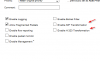
Okay, so I put a blank FW back in, same issue. However, I drilled into the FW rule and set UDP timeout to 120 from 30. Its no longer under Firewall Settings/Advanced, and now it seems to be working!!!
 
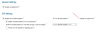
I went back to the original problem FW, I changed all the settings and still same issue. I ended up changing this in SIP ALG and I moved the fw rules to the top. i originally had based on access-rule which even though was not checked seemed to still be interfering. I change to 'all sip sessions' then I unchecked Enable on TCP then uncheck Enable SIP then uncheck Enable Consistent NAT. Now its working on the old firewall. So it appears this is a bug, even though I have SIP Transformations Off and its greyed out, it was still interfering on an un-checked access-rule.


13362
 
I'm glad you got it work, and thanks for sharing your solution
 
Status
Not open for further replies.

Latest Posts

Forum statistics

Threads
111,934
Messages
589,822
Members
164,813
Latest member
divdigital