- Joined
- Jun 28, 2012
- Messages
- 97
- Reaction score
- 0
Hello
I am running v14 sp2.
I was trying to setup MSSQL ODBC directory search.
I set DSN on PC where 3cx is installed.
I used 3cx ODBC connection test tool found on http://www.3cx.com/docs/odbc-search-phonebook-directory/
Tool shows me everything perfect.
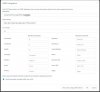
And same setting made in 3cx server > Directory Search > ODBC
But no clients are getting search result and just getting regular caller id.
I was monitoring SQL server if any query coming from 3cx. But there was none except query which came from test tool.
Pls help me to solve this.
Thanx
I am running v14 sp2.
I was trying to setup MSSQL ODBC directory search.
I set DSN on PC where 3cx is installed.
I used 3cx ODBC connection test tool found on http://www.3cx.com/docs/odbc-search-phonebook-directory/
Tool shows me everything perfect.
And same setting made in 3cx server > Directory Search > ODBC
But no clients are getting search result and just getting regular caller id.
I was monitoring SQL server if any query coming from 3cx. But there was none except query which came from test tool.
Pls help me to solve this.
Thanx