Office Hours - Specific User

Status
Not open for further replies.

double6jg

Bronze Partner
Basic Certified
Joined
Feb 4, 2021
Messages
73
Reaction score
9
It seems that the setting for specific user office hours has been removed from the Admin portal - or has it been moved somewhere? The global office hours haven't moved.

I can see that user office hours are available in the user portal BUT only if that user has admin rights - so how do I now set some specific office hours for a couple of users who are not admins?
 
Hi @double6jg

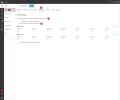
To set up office hours for individual users, log in to WebClient with a user that has System Administrator Rights.

Go to Admin>>Users>>Select a user>>Schedule>>Enable "Automatically switch status to available during office hours">>Select "This extension uses specific office hours".

2023-01-12_16h26_48.png
 
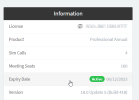
Not seeing a "Schedule" option at all - this is Hosted. Version info below.
 
OK. Have found it now. I had to explicitly give a user full access rights via the main Admin portal.

However the heading "Schedule" is not present although Status Scheduler appears at bottom of main Edit User page which looks completely different from your screenshot!

Why have you moved this away from Admin client?
 
Status
Not open for further replies.

Forum statistics

Threads
111,974
Messages
590,081
Members
164,899
Latest member
mazet