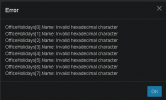
OfficeHoliday Name - Invalid Hexadecimal Character

TOMP

Premier Customer
Joined
Dec 3, 2024
Messages
2
Reaction score
0
Hi,
We recently upgraded to V.20 and now unable to delete/edit office holidays, each time I perform any action e.g. creating or deleting office holiday, I get the following error. I would be grateful, if anyone could provide their insight please.
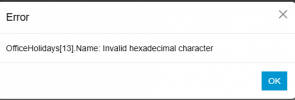
1733214945172.png

Thanks,
 
We have the same error. It looks like it relates to two previous entries having a start and end time which was the same. This appears to create a condition where no entries can be edited or deleted as this error will generate when the action is being saved.

Any update on how to fix this?
 
In our case, we moved extensions to different department and removed this particular department that was causing issue.
The office holidays were adjusted on the default department and it worked as required.
 
Windows Server: 2019
3CX: Version 20.0 Update 5 (Build 551 Release) Was U4 when I saw this bug, upgraded last night, same thing.

We have a default dept. group and eight departments. When adding a new holiday I see the below prompt:

Deleted all holidays in all dept but the default. Same output when I create a holiday. I tried aaa as a holiday name with same result.

In the same country, we have another office with the exact same holidays and text using U4 and have no issues adding holidays there.

We need to close the office tomorrow and get a recording in place for a scheduled event.


1742475295898.png
 
Had to engage Support to remove all Holiday records, then re-added them manually. As of now, this appears to be working again.

Support says they have no idea why this happened and another server in the same country with the same exact holidays has no issues. When I re-entered the holidays I only used A-Z, a-z and 0-9 avoiding all special characters. No idea if that will help. but that's what I did as an FYI.
 

Latest Posts

Forum statistics

Threads
111,964
Messages
590,003
Members
164,869
Latest member
hpgitsupport