- Joined
- Aug 21, 2014
- Messages
- 84
- Reaction score
- 10
Doing some setup an testing for a new customer from our office.
I have setup a new DO hosting for a new customer. Version 20.
Setup a new SBC in our office and is connected to the new customer.
I am trying to setup the phone extensions in advance so when we set them on their desk, they will be ready.
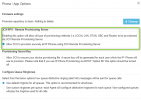
With no extensions currently programed, I plugged in a new T46U, I was expecting the phone to automatically show up in the phones tab of the 3CX pbx. But it does not. I was thinking it would show up as "NEW" and I could assign it to an extension. Does this not work anymore?
Or am I missing something?
Thanks
I have setup a new DO hosting for a new customer. Version 20.
Setup a new SBC in our office and is connected to the new customer.
I am trying to setup the phone extensions in advance so when we set them on their desk, they will be ready.
With no extensions currently programed, I plugged in a new T46U, I was expecting the phone to automatically show up in the phones tab of the 3CX pbx. But it does not. I was thinking it would show up as "NEW" and I could assign it to an extension. Does this not work anymore?
Or am I missing something?
Thanks