On Premise Fanvil Language and Time Zone NTP not found #2

Status
Not open for further replies.

Alle CTEC

Silver Partner
Advanced Certified
Joined
Sep 11, 2023
Messages
360
Reaction score
45
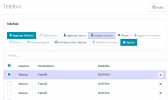
The main ticket has been closed as resolved but the 3cx problem is not because if you select the extension in the telephone screen and assign it to an extension only the X3U template appears and not the X3U PRO. Otherwise, by adding the phone from the user screen with the correct template and mac address it is supplied but in phones I am left with the attached screen
 

Attachments

  • Step01.PNG
    Step01.PNG
    15 KB · Views: 6
I am attaching the 3cx option which only appears on Fanvil or Yealink phones
 

Attachments

  • Transfer 3cx.PNG
    Transfer 3cx.PNG
    3.8 KB · Views: 5
Fanvil support provided me with a procedure for resetting my phone. Turn the phone off and turn it on when it starts and the LEDs are flashing, press # once. Starts in post mode *#168 the phone performs a factory reset. But even then it is not possible to downgrade the firmware.
 
Those steps are only for the factory reset. If additional steps are required you should ask vendor.
 
The retailer claims that 3cx must support the updated firmware because the phones obviously ship with the updated firmware. The support, however, does not explain the failure to downgrade the firmware.
 
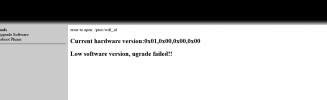
I also tested the firmware recovery procedure. Turn on the phone as soon as the lights flash press the # button once the phone starts in post mode 192.168.1.179 connect to the WAN interface of the phone and open the web management at http://192.168.1.179:8080 upload firmware nothing to do error "Low software version update failed"
 

Attachments

  • Fanvil-Recovery.png
    Fanvil-Recovery.png
    11.8 KB · Views: 3
After various activities and email exchanges with Fanvil support they recognized the problem, some phones with the latest firmware cannot downgrade to 2.4.5.7 they wrote to me that the new firmware should be certified by 3CX by the end of November
 
Fanvil successfully provided me with the correct firmware for the updated 3cx. To configure the ntp part on the phones simply go to 3CX - settings - advanced parameters - search for ntp and enter the address of the ntp you want to use.
 
Status
Not open for further replies.

Latest Posts

Forum statistics

Threads
112,156
Messages
591,013
Members
165,188
Latest member
Teemal