OPENRESO | Intermittent SBC sites losing proxy address – need detailed explanation of proxy addressing logic

jordi steiner

Platinum Partner
Advanced Certified
Joined
Mar 22, 2023
Messages
11
Reaction score
1
Category / Tag: SBC / 3CX SBC

Hi,

I’m looking for help and technical insight about an intermittent issue with phones behind 3CX SBC, where the phones suddenly lose registration because their proxy address changes by itself.

I manage several customer sites using 3CX with phones behind 3CX SBC (including router phones from Fanvil and Yealink). I would like to better understand how the proxy address on a phone registered via SBC is determined and updated by 3CX, and what could cause it to change unexpectedly.

Environment (same pattern on 3 independent sites):

  • 3CX servers are hosted in the cloud (each customer has its own 3CX cloud instance).
  • Each customer site connects to its 3CX instance over the public Internet.
  • On the customer sites we use Sophos firewalls.
  • In the cloud we have FortiGate firewalls in front of the 3CX servers.
  • Phones behind SBC are Fanvil (2 sites) and Yealink (1 site).
  • Each site experienced the issue at different times (not simultaneous).
  • I can request and provide exact firmware versions (3CX, SBC, Sophos, FortiGate, phones) if needed, but I don’t have all of them available right now.
Symptom (2–3 times per year per affected customer):

  • Phones behind SBC work fine for weeks or months.
  • At some random time, all phones behind a given SBC lose registration at the same time.
  • The root cause seems to be the SBC phone losing its proxy and changing its proxy IP, which should normally be its own SBC IP address.
  • When I check the phones’ SIP account, the “Proxy” / “Outbound Proxy” field no longer contains the SBC IP address that was there originally.
  • The proxy value has changed to another IP address or to an unexpected value, even though no intentional changes were made on the PBX, SBC, firewall or DHCP.
  • A simple reboot is not enough: I have to factory reset and fully reprovision the phones (sometimes with difficulty) to get them back in service.
  • I also tried leaving the phones completely disconnected (powered off / unplugged) for more than 20 minutes in case of a basic blacklist / security timeout, but this did not resolve the issue – only full factory reset + reprovision works.
In at least one case, the SBC itself still showed as “online” in the 3CX Management Console, but the phones were not registering because they had this wrong proxy value. From what I can see, the problem comes from the SBC phone that “drops” and changes its proxy IP, which is supposed to stay set to its own SBC IP.

My questions:

  1. What is the exact logic 3CX uses to populate the “Proxy” / “Outbound Proxy” field in a phone that is provisioned via 3CX SBC (or via router phone mode)?
    • Does 3CX always push the current SBC LAN IP as proxy, or can it use another interface / IP discovered from the SBC?
    • In which situations can this proxy/IP be changed automatically (SBC IP change, FQDN change, backup/restore, template change, SBC reconnecting with a different NIC or IP, etc.)?
  2. With hosted 3CX + site SBC (Sophos on-site, FortiGate in front of 3CX), what exactly can trigger a reprovision or re‑push of the proxy field to the phones?
    • Is there any correlation with the SBC reconnecting or being seen with a different public or local IP by the PBX?
    • Could short connectivity drops or NAT changes on Sophos / FortiGate cause 3CX to “re-learn” a different IP for the SBC and push that as proxy to the phones?
  3. Are there any known issues or recent changes in 3CX / SBC versions that affect how the SBC local IP or outbound proxy IP is determined and sent to Fanvil / Yealink phones?
    • For example: phones receiving the SBC external NIC IP instead of the LAN IP, phones receiving the wrong local subnet, or phones switching to another SBC/router phone on the same site.
  4. Is there any recommended way to make the proxy address more deterministic or “sticky” for phones behind SBC (Fanvil and Yealink) so that they do not silently change proxy, forcing a factory reset and full reprovision?
At this stage I mainly need help understanding the internal logic and possible causes. If someone has seen a similar behavior or has ideas / experiences to share, I’d really appreciate your feedback and suggestions.

If required, I can later collect and provide:

  • Exact 3CX versions and build numbers.
  • SBC versions and OS.
  • Phone models and firmware (2 × Fanvil, 1 × Yealink).
  • Sophos and FortiGate firmware versions.
  • Logs and pcaps from affected sites.
Thanks in advance for any ideas, explanations or troubleshooting directions you can offer.
 
Hello,

Although this is a very detailed write-up, please open a ticket with support on this matter. Investigating it will require sharing captures and logs, beyond what would be reasonable to do in the forum.
 
Hello,

Thank you for your reply.

I will open a ticket with the French support team, but following Joris’ advice I’m also trying to maximize the chances of getting answers by asking here on the forum.

I’m trying to see if other admins are experiencing the same issue, maybe with different environments, or if this is something specific to the Fanvil SBC devices, which might be a bit limited in terms of resources.

So far, every time I try to capture the problem, it “slips through my fingers”: it always happens just before or just after I start the capture. I also cannot permanently run tools like dumpcap on the server because this would void support if the system is considered modified – so it’s a bit of a catch‑22.

That’s why I’m gathering information from everywhere I can: 3CX, trunk providers, phone manufacturers, etc. And this morning, 5 more customers reported the same problem, and nobody has a clear explanation yet. :-(

Thanks in advance to anyone who can share ideas or similar experiences.
 
  • Like
Reactions: KyriacosS_3CX
No worries, asking here is perfectly fine and hopefully either via ticket or forum it gets resolved and you get everything back to proper behaviour quickly.
 
What have you tried so far? I've got lots of SBC phones out in the field with no problems.

When the problem occurs:-

- Do you see a local IP displayed in the SBC settings on the PBX?
- Does the outbound proxy change for all phones or just the SBC?
- You said "displays incorrect IP" - what IP is it displaying instead? this rogue IP could be a good indication of the cause

You could try sticking the SBC in to debug logging (phone gui) and then review the logs after the fact to see if it is happening after a reprovision though, i dont think the act of reprovisioning is causing the problem, rather there is a misreport back to 3CX as to what the IP should be.

Does your 3CX pass firewall test?

Is your SBC phone statically assigned with an IP or are you using DHCP reservation?

Are you using default templates?
 
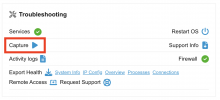
@jordi steiner - you shouldn't need to run dumpcap on the machine if the built-in capture feature is used:
1770807564198.png
 
What have you tried so far? I've got lots of SBC phones out in the field with no problems.

When the problem occurs:-

- Do you see a local IP displayed in the SBC settings on the PBX?
- Does the outbound proxy change for all phones or just the SBC?
- You said "displays incorrect IP" - what IP is it displaying instead? this rogue IP could be a good indication of the cause

You could try sticking the SBC in to debug logging (phone gui) and then review the logs after the fact to see if it is happening after a reprovision though, i dont think the act of reprovisioning is causing the problem, rather there is a misreport back to 3CX as to what the IP should be.

Does your 3CX pass firewall test?

Is your SBC phone statically assigned with an IP or are you using DHCP reservation?

Are you using default templates?
What have you tried so far? I've got lots of SBC phones out in the field with no problems.
I first rebooted the SBC phones, between 1 and 3 devices per site. When they didn’t come back, I tried to access each SBC phone’s web GUI. Only a small number of them allowed me to log in on the first attempt. For the others, I needed 1 or 2 reboots, and in some cases 1 or 2 full factory resets before I could regain control. In most of them the proxy settings were wrong. Unfortunately, in the rush to get customers back in service, I did not record the exact proxy IPs. I will do this next time to help identify the root cause. I only remember that most of those wrong IPs started with 212.x.x.x.

When the problem occurs:-
From what I can see, there is no specific trigger (no planned updates, no major changes on our side), and customers also confirm they didn’t change anything at those times.

  • Do you see a local IP displayed in the SBC settings on the PBX?
    Yes, in the 3CX Management Console everything looks fine: the SBC appears online and the local IP shown there is correct. The issue really seems to be on the SBC phone itself.
  • Does the outbound proxy change for all phones or just the SBC?
    The outbound proxy change only affects the SBC phones. Other phones (not acting as SBC) are not impacted.
  • You said "displays incorrect IP" - what IP is it displaying instead? this rogue IP could be a good indication of the cause
    As mentioned above, I didn’t have time to write down the exact IPs during the incidents, but I will capture them next time and post screenshots here for analysis. I only remember that most of the incorrect proxy IPs started with 212.x.x.x. I’m now planning to set up an RSyslog server for the phones to centralize logs.
You could try sticking the SBC in to debug logging (phone gui) and then review the logs after the fact to see if it is happening after a reprovision though, i dont think the act of reprovisioning is causing the problem, rather there is a misreport back to 3CX as to what the IP should be.
That’s exactly what I plan to do today as soon as I get a bit of time. I still need to figure out how to enable “debug” logging on the Fanvil SBC phones specifically (I’m not entirely sure where to do this in their GUI), but I’ll enable it and then review the logs.

Does your 3CX pass firewall test?
Most of the 3CX systems pass the firewall test (only 1 or 2 have minor warnings on UDP ports). All these setups are more than 2 years old and have been stable for a long time before these issues started to appear.

Is your SBC phone statically assigned with an IP or are you using DHCP reservation?
We use both. In general we prefer DHCP with reservation for flexibility, but some SBC phones are statically assigned.

Are you using default templates?
Yes, we are using the default templates.
 
So it happens on the SBCs that are statically assigned? that rules that out then.

Does the 212 address match any of your networks?

Fanvil > System > Tools > APP log level

All my SBCs are Yealink - Is the Yealink in question statically assigned?

When the problems happen, is the IP Proxy field blank for both Fanvil and Yealink?

Are you using DHCP option 66 for provisioning url?

Are you able to stick another SBC in to see if it happens at the same time? it will allow you to troubleshoot it without a time restraint.
 
Any chance you are somehow running more than one instance of the affected PBXs?
 
So it happens on the SBCs that are statically assigned? that rules that out then.

Does the 212 address match any of your networks?

Fanvil > System > Tools > APP log level

All my SBCs are Yealink - Is the Yealink in question statically assigned?

When the problems happen, is the IP Proxy field blank for both Fanvil and Yealink?

Are you using DHCP option 66 for provisioning url?

Are you able to stick another SBC in to see if it happens at the same time? it will allow you to troubleshoot it without a time restraint.
So it happens on the SBCs that are statically assigned? that rules that out then.
Yes, it also happens on SBC phones that are statically assigned, so we can indeed rule out “plain DHCP” as the cause.

Does the 212 address match any of your networks?
No, the 212.x.x.x address does not match any of my internal networks. It might be an operator or manufacturer-related address, I’ll verify that next time I can capture it precisely.

Fanvil > System > Tools > APP log level
Thanks, noted. I’ll use this menu on the Fanvil phones to raise the APP log level and collect more detailed logs.

All my SBCs are Yealink - Is the Yealink in question statically assigned?
Yes, the Yealink SBC phone is also statically assigned.

When the problems happen, is the IP Proxy field blank for both Fanvil and Yealink?
No, it’s not blank. It shows another IP instead of the expected one, and that’s exactly what seems strange to me. That’s why I’m trying to understand the internal process of how the proxy is set/updated.

Are you using DHCP option 66 for provisioning url?
No, I’m not using DHCP option 66 on the affected sites. The provisioning URL is configured manually / via 3CX for all sites with this issue. On other sites (MPLS, VPN, etc.) we don’t see this problem at all.

Are you able to stick another SBC in to see if it happens at the same time? it will allow you to troubleshoot it without a time restraint.
I’ll try to do that, but unfortunately today I’m working alone, so it may take a bit of time to set up additional SBCs in parallel just for troubleshooting.
 
Any chance you are somehow running more than one instance of the affected PBXs?
No, not that I’m aware of, and it would be very unlikely in my setup. I only run one instance per customer, and having more than one for the same site would immediately create obvious conflicts and bugs, so I would have noticed it.
 
I would like to better understand how the proxy address on a phone registered via SBC is determined and updated by 3CX, and what could cause it to change unexpectedly.
The SBC/router phone reports its own local IP when it connects to the PBX.
If the address differs from the one that's stored in the config, the latter is updated.
You may check for event 4102 that should contain the address pair (global/local).
The next time a phone behind the SBC comes for provisioning, it will get this updated address.

From the description it seems that SBC somehow reports invalid address and we'll need verbose logs from the SBC at the time of accident.
 
  • Like
Reactions: jordi steiner
Although this might be obvious, get your hands on the "rogue" ip address - an IPWHOIS on the address might give you a hint to what/why/how. Having said that, I might deploy at least ONE dedicated SBC device in one of the locations that has exhibited the problem, and confirm that the dedicated SBC is immune to this - which I'm pretty sure it is. Just for my own sanity, really...
 
  • Like
Reactions: jordi steiner
The SBC/router phone reports its own local IP when it connects to the PBX.
If the address differs from the one that's stored in the config, the latter is updated.
You may check for event 4102 that should contain the address pair (global/local).
The next time a phone behind the SBC comes for provisioning, it will get this updated address.

From the description it seems that SBC somehow reports invalid address and we'll need verbose logs from the SBC at the time of accident.
The SBC/router phone reports its own local IP when it connects to the PBX.
If the address differs from the one that's stored in the config, the latter is updated.
You may check for event 4102 that should contain the address pair (global/local).
The next time a phone behind the SBC comes for provisioning, it will get this updated address.

From the description it seems that SBC somehow reports invalid address and we'll need verbose logs from the SBC at the time of accident.

Thanks for the clarification about the SBC reporting its local IP and event 4102 – that helps me understand the process a bit better.

The challenge for me is that I don’t always have real‑time access to the SBCs on all sites, so I’m planning to deploy an Rsyslog VM/server and send the phone logs there, in order to keep as much history as possible around the incidents.

Right now it’s quite hectic: the latest occurrences are a bit “simpler” (no factory reset needed), but I’m already at 6 impacted customers today. On the French support side, when I provide logs, the answers are mostly generic, such as:
“This can be due to several reasons: NAT or firewall closing TLS sessions too quickly, TCP socket timeout on the firewall closing the session, TLS/SSL inspection by a firewall.”

I suspect this might be related to recent firewall / CDC updates pushed by our operator (SEWAN), but I still don’t have hard proof.

Here are some of the logs they showed me on the PBX side (3CX):


12:31:08.920|7f4442a196c0|Debug|TCPSide.cpp(539): 8181<-::ffff:78.197.252.140:11288:29 Failed to deliver media packet. Destination address is malformed or not specified -
12:31:08.940|7f4442a196c0|Debug|TCPSide.cpp(539): 8181<-::ffff:78.197.252.140:11288:29 Failed to deliver media packet. Destination address is malformed or not specified -
12:31:09.020|7f4442a196c0|Debug|TCPSide.cpp(539): 8181<-::ffff:78.197.252.140:11288:29 Failed to deliver media packet. Destination address is malformed or not specified -
...
12:27:22.694|7f4444ac16c0| Info|ConnMgr.cpp(1674): IncomingSlaveUDP: skip to ADD connection 8182<-::ffff:78.197.252.140:38324:30. It has no input channel for this handler
12:27:22.790|7f4444ac16c0| Info|ConnMgr.cpp(1674): IncomingSlaveUDP: skip to DELETE connection 8182<-::ffff:78.197.252.140:38324:30. It has no input channel for this handler
...
12:39:14.290|7f4444ac16c0| Info|ConnMgr.cpp(1674): IncomingSlaveUDP: skip to ADD connection 8245<-::ffff:78.197.252.140:35735:29. It has no input channel for this handler

...

12:31:51.847|7f4444ac16c0| Info|TLSTransp.cpp(448): TLS broke
12:39:06.308|7f44442c06c0| Info|TLSTransp.cpp(448): TLS broke
12:44:58.295|7f44442c06c0| Info|TLSTransp.cpp(448): TLS broke

This looks like the PBX is repeatedly receiving media / UDP packets that it cannot associate with an active input channel, which could match what you describe (wrong or “malformed” address being reported/used somewhere in the chain).

I’ll now:


  • Enable verbose / debug logs on the Fanvil SBC phones (and Yealink as well).
  • Set up a central syslog collector.
  • Check for event 4102 to see the global/local address pair when the problem happens.
As soon as I catch another occurrence with these additional logs, I will post the relevant extracts here so we can confirm whether the SBC is indeed reporting an invalid address, or if something in the path (NAT, firewall, TLS inspection) is altering it.

If you have any additional hints on what exactly in these log lines “Destination address is malformed or not specified” or “IncomingSlaveUDP: skip to ADD/DELETE connection … It has no input channel for this handler” could point to, that would also be very useful for me to focus my tests.
 
You're speculating w/o knowing the source code. The above lines do not point to anything you should worry about.
 
You're speculating w/o knowing the source code. The above lines do not point to anything you should worry about.
Just to clarify: this interpretation does not come from me, but from French support. I would never make such a hypothesis on my own – if I already had a clear idea of the cause, I probably wouldn’t be here asking for help.

That’s exactly why I came to the international forum: I was told there are more experts around here, and I’m hoping for some additional angles and experience from other admins.

For now, I see this as a recurring issue, but not necessarily with a single root cause on all sites. Something is clearly causing the SBC / router phones to “drop” and change proxy, and I’d like to understand the full picture rather than jump to conclusions.

Before anyone can give a proper answer, I agree we need detailed logs from one or more SBC phones at the exact time of the incident, especially to understand what happens inside the tunnel. This is why I’m setting up central logging (e.g. rsyslog) and increasing log levels on the Fanvil and Yealink devices.

My goal is not to blame 3CX – at this stage I don’t even think 3CX itself is the main culprit. But it is frustrating to have a recurrent problem, not be able to give precise explanations to customers, and not have a clear diagnostic path to debug it. I’m an engineer, not a magician.

I’ve also heard vague mentions about possible interconnection issues in Germany that might affect some traffic paths (maybe more for PBXs hosted on 3CX EU servers). I don’t know if this is relevant here, and I don’t want to speculate, but that’s another reason why I’m trying to collect as much concrete data as possible.

So my intention here is to share my experience internationally, gather any useful insight, and open new debugging paths. Nothing will be done hastily – I’m just trying to build a clearer picture step by step.
 
you have to consider that at all your sites, the set up is the same.

Im very suspicious that its the network device(s).

Was this a problem when 3CX was first installed?

If no - what has changed?

Have you checked the Sophos logs for any ALG? or any form of log off it?

Can you create a rule to allow all traffic to/from 3CX/SBC?

To confirm the problem occurs after the phone pulls its provisioning can you remove the server URL from the autoprovision field from one site to see if the problem disappears?
 
a other one, simple client, can I rely on it:
Bonjour,

There are a few errors visible in the 3cxtunnel.log file in the Logs folder.

Chercher "ERROR_SSL on SSL_read "

:unexpected eof while reading

There must be a firewall cutting off the connection on the SBC client side.

09:37:32.202|7fb5a42246c0|Error|TLSTransp.cpp(539): Error 1 reading from TLS connection on socket (34): error:0A000126:SSL routines::unexpected eof while reading
Line 896: 09:37:32.204|7fb5a42246c0| Warn|TLSTransp.cpp(566): ERROR_SSL on SSL_read
Line 6864: 10:50:42.654|7fb5a42246c0|Error|TLSTransp.cpp(539): Error 1 reading from TLS connection on socket (35): error:0A000126:SSL routines::unexpected eof while reading
Line 6865: 10:50:42.654|7fb5a42246c0| Warn|TLSTransp.cpp(566): ERROR_SSL on SSL_read
Line 96750: 11:18:47.204|7fb5a42246c0|Error|TLSTransp.cpp(539): Error 1 reading from TLS connection on socket (35): error:0A000126:SSL routines::unexpected eof while reading
Line 96751: 11:18:47.204|7fb5a42246c0| Warn|TLSTransp.cpp(566): ERROR_SSL on SSL_read
Line 97494: 11:18:47.361|7fb5a42246c0|Error|TLSTransp.cpp(539): Error 1 reading from TLS connection on socket (31): error:0A000197:SSL routines::shutdown while in init
Line 97495: 11:18:47.361|7fb5a42246c0| Warn|TLSTransp.cpp(566): ERROR_SSL on SSL_readVos coupures
ERROR_SSL on SSL_read

Note: Vous pouvez répondre à ce ticket en utilisant l'email "*******@o********o.com" et en conservant le même sujet, ou par votre Customer Portal / page Support.

---
 
Last edited by a moderator:

Forum statistics

Threads
111,953
Messages
589,913
Members
164,848
Latest member
latoya@bautistafamilycare