- Joined
- Dec 7, 2019
- Messages
- 45
- Reaction score
- 10
Hi,
we used to manage this with inbound rules which are gone in V20 and for the life of me I can't figure the new way of doing this out. (If there is one).
In short: We have office hours configured for the (only) department. We want FOR SOME users / their DIDs to route incoming calls to an IVR when out of office hours. It should be independent of the user's status (available, Away, DND...)
I did read the doc at https://www.3cx.com/docs/manual/office-hours/#h.o348oldjau19 multiple times, but it makes no sense to me.
It says I should assign a DID to the IVR, but if I do assign the DID of the user, it gets unassigned from the user (of course), making him unreachable always.
In the user settings I see only the setting under "Schedule" saying "This extension uses default office hours". Fine. But that does not seem to mean anything since there is no global "Route here when out of office for all extensions of the department" button?
Not in "Office hours" menu.
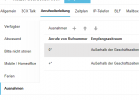
Not in "Call Handling" menu. (I can select the department's Live Chat, Text, Calls Menu there, but it has no DIDs assigned and any setting does not change what happens after office hours, as far as I tested.)
Not in "Departments" menu and the Department settings?
There must be some way to do this in V20, or not?
we used to manage this with inbound rules which are gone in V20 and for the life of me I can't figure the new way of doing this out. (If there is one).
In short: We have office hours configured for the (only) department. We want FOR SOME users / their DIDs to route incoming calls to an IVR when out of office hours. It should be independent of the user's status (available, Away, DND...)
I did read the doc at https://www.3cx.com/docs/manual/office-hours/#h.o348oldjau19 multiple times, but it makes no sense to me.
It says I should assign a DID to the IVR, but if I do assign the DID of the user, it gets unassigned from the user (of course), making him unreachable always.
In the user settings I see only the setting under "Schedule" saying "This extension uses default office hours". Fine. But that does not seem to mean anything since there is no global "Route here when out of office for all extensions of the department" button?
Not in "Office hours" menu.
Not in "Call Handling" menu. (I can select the department's Live Chat, Text, Calls Menu there, but it has no DIDs assigned and any setting does not change what happens after office hours, as far as I tested.)
Not in "Departments" menu and the Department settings?
There must be some way to do this in V20, or not?
Last edited: