Solved Outbound Caller ID for Multiple Companies

Status
Not open for further replies.

BABALUCHA

Silver Partner
Joined
Jan 9, 2021
Messages
217
Reaction score
42
Hello Everyone , First of all thank you for stopping and helping on this .i have customer where i need to send out different caller id from same phone. i was looking at some forums and found that it can be done using the outbound rule with prefix .i tired but calls fails. Does anyone has exact steps.? i think the order for rules matter too ....right ?just like the firewall rules ...?
 
Hi @BABALUCHA

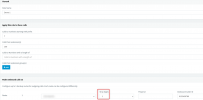
You will need to create an outbound rule for each caller ID you need to use and you will need to use a prefix for each outbound rule. You can optionally add an extension to limit the outbound rules to a specific extension.

1641801325235.png

Also remember to strip the prefix so the number is sent correctly to your provider. You will need to do this for all numbers you want to present as caller IDs.

The order matters if you have a more general outbound rule for all calls. You will need to order your outbound rules in such a way so that the correct is selected each time. The more restricted you make these outbound rules the less likely it is to chose the wrong one.

The last point you need to keep in mind is that your provider must accept these numbers caller IDs. Some provider will accept anything you through at them but some will only accept numbers that belong to your trunk and some will only accept the main trunk number as caller ID. This is something you will need to clarify with your provider.
 
Hi @BABALUCHA

You will need to create an outbound rule for each caller ID you need to use and you will need to use a prefix for each outbound rule. You can optionally add an extension to limit the outbound rules to a specific extension.

View attachment 26981

Also remember to strip the prefix so the number is sent correctly to your provider. You will need to do this for all numbers you want to present as caller IDs.

The order matters if you have a more general outbound rule for all calls. You will need to order your outbound rules in such a way so that the correct is selected each time. The more restricted you make these outbound rules the less likely it is to chose the wrong one.

The last point you need to keep in mind is that your provider must accept these numbers caller IDs. Some provider will accept anything you through at them but some will only accept numbers that belong to your trunk and some will only accept the main trunk number as caller ID. This is something you will need to clarify with your provider.
Hello Team
i will test this out and let you know how it goes thank u so much :)
 
  • Like
Reactions: YiannisH_3CX
Hi @BABALUCHA

You will need to create an outbound rule for each caller ID you need to use and you will need to use a prefix for each outbound rule. You can optionally add an extension to limit the outbound rules to a specific extension.

View attachment 26981

Also remember to strip the prefix so the number is sent correctly to your provider. You will need to do this for all numbers you want to present as caller IDs.

The order matters if you have a more general outbound rule for all calls. You will need to order your outbound rules in such a way so that the correct is selected each time. The more restricted you make these outbound rules the less likely it is to chose the wrong one.

The last point you need to keep in mind is that your provider must accept these numbers caller IDs. Some provider will accept anything you through at them but some will only accept numbers that belong to your trunk and some will only accept the main trunk number as caller ID. This is something you will need to clarify with your provider.
Hello

YiannisH_3CX​

Support Team​


It worked for me .So basically i added 0 and stripped it with the outbound rule and added the second caller ID that i wanted to send out and it did work for me.And also i was able to change the SIP Trunk setting to display a custom name as well.Thank you so much :).
We can go ahead close this ticket.
 
Glad to see you were able to resolve this. Please do not hesitate to create new thread if you face any other issues in the future.
 
Status
Not open for further replies.

Latest Posts

Forum statistics

Threads
112,324
Messages
591,897
Members
165,475
Latest member
lastshadow