- Joined
- Mar 18, 2021
- Messages
- 15
- Reaction score
- 3
We're running 3CX V20 (build 20.0.9.995) with a SIP trunk to Twilio, and have a specific SIP header behavior question backed by packet captures.
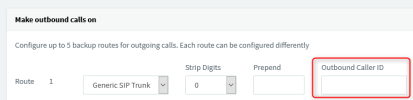
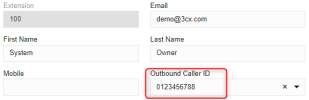
Use case: A customer calls our PBX, and the call is forwarded from a Call Queue to an external number (an AI voice agent) via our Twilio trunk. Twilio requires the From header's Caller ID to be a verified/owned number, so we applied an Outbound Caller ID override (configured via the Outbound Rule / trunk's Default Outbound Caller ID) using our verified Twilio number. This successfully resolved a 403 'Caller ID unauthorized' rejection from Twilio.
However, we also need to preserve the ORIGINAL customer's phone number in the P-Asserted-Identity and/or Remote-Party-ID headers, so our downstream AI agent platform can identify the caller for a CRM lookup - independent of what From carries.
What we're observing (confirmed via pcap):
BEFORE the Caller ID override was applied:
- From: "+1925xxxxxxx" <sip:[email protected]> (customer's real number - rejected by Twilio with 403)
- P-Asserted-Identity: <sip:[email protected]> (correct - customer's real number)
- Remote-Party-ID: <sip:[email protected]> (correct - customer's real number)
AFTER applying the Caller ID override (our verified number, e.g. 1855xxxxxx):
- From: "+1925xxxxxx" <sip:[email protected]> (fixed - call now succeeds)
- P-Asserted-Identity: <sip:1855xxxxxx@...> (customer's number LOST - now shows our verified number instead)
- Remote-Party-ID: <sip:1855xxxxxx@...>;party=calling (customer's number LOST - same issue)
We also tried setting "P-Asserted Identity : Display Name" and "Remote Party ID - Calling Party : Display Name" (on the trunk's Options tab) to the "OriginatorCallerID" option, but this only changed the DISPLAY NAME text to match the existing URI number (e.g. "1855xxxxxxx"<sip:1855xxxxxxx@...>) rather than restoring the customer's actual number in the header.
Our question: Is there a way in 3CX to apply an Outbound Caller ID override that affects ONLY the From header, while independently preserving the original caller's number in P-Asserted-Identity and/or Remote-Party-ID?
Use case: A customer calls our PBX, and the call is forwarded from a Call Queue to an external number (an AI voice agent) via our Twilio trunk. Twilio requires the From header's Caller ID to be a verified/owned number, so we applied an Outbound Caller ID override (configured via the Outbound Rule / trunk's Default Outbound Caller ID) using our verified Twilio number. This successfully resolved a 403 'Caller ID unauthorized' rejection from Twilio.
However, we also need to preserve the ORIGINAL customer's phone number in the P-Asserted-Identity and/or Remote-Party-ID headers, so our downstream AI agent platform can identify the caller for a CRM lookup - independent of what From carries.
What we're observing (confirmed via pcap):
BEFORE the Caller ID override was applied:
- From: "+1925xxxxxxx" <sip:[email protected]> (customer's real number - rejected by Twilio with 403)
- P-Asserted-Identity: <sip:[email protected]> (correct - customer's real number)
- Remote-Party-ID: <sip:[email protected]> (correct - customer's real number)
AFTER applying the Caller ID override (our verified number, e.g. 1855xxxxxx):
- From: "+1925xxxxxx" <sip:[email protected]> (fixed - call now succeeds)
- P-Asserted-Identity: <sip:1855xxxxxx@...> (customer's number LOST - now shows our verified number instead)
- Remote-Party-ID: <sip:1855xxxxxx@...>;party=calling (customer's number LOST - same issue)
We also tried setting "P-Asserted Identity : Display Name" and "Remote Party ID - Calling Party : Display Name" (on the trunk's Options tab) to the "OriginatorCallerID" option, but this only changed the DISPLAY NAME text to match the existing URI number (e.g. "1855xxxxxxx"<sip:1855xxxxxxx@...>) rather than restoring the customer's actual number in the header.
Our question: Is there a way in 3CX to apply an Outbound Caller ID override that affects ONLY the From header, while independently preserving the original caller's number in P-Asserted-Identity and/or Remote-Party-ID?