Outbound rules have a section for the outbound caller ID; see the screenshot below. However, it may result in any calls routed through the outbound rule presenting the number entered there, but this all depends on the SIP Trunsk settings.
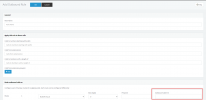
Depending on what is set under the SIP Trunks settings, for the SIP value "From User Part" will determine what is presented to the provider upon an outbound call but will also, of course, depend on which sip field the provider uses to show the outbound caller ID, if indeed they use the SIP field 'From user part' to present the outbound caller ID.
Since changes are VoIP provider specific and if your VoIP provider allows you to send any other caller id than the one assigned to you or the main trunk number, it is best first to contact your VoIP provider and ask them if they first allow this. If yes, ask them which SIP field they expect this information from and then make the changes in the 3CX Phone System.
Note: Be extra careful when applying these changes as changes made here, if not implemented correctly, may break the functionality of the 3CX System, and you will not be able to make outgoing calls.
That being said, after confirming with your provider where the changes have to be made, navigate to management console -> Sip Tunks settings -> Outbound Parameters -> find the SIP field that your VoIP provider has told you they expect the information and change its variable to "OutboundCallerId taken from extensions settings in the management console."
Do note that these changes may result in losing the option to display the originator caller ID when forwarding calls, for example.


