Outbound Calling Forbiden?

Status
Not open for further replies.

khoiusa

New User
Joined
Oct 11, 2021
Messages
43
Reaction score
2
I just set up my brand new 3CX system with Amazon Chime Sip Trunk. I placed a outbound call fro my Yealink T31P but the display said "FORBIDDEN". Anybody know how to fix this???
 
You might check the 3CX Activity Log to see if this is coming from 3CX, or from your provider. 3CX can block call calls, usually because of an option selected in the extension settings. If it is from your provider, then you may have to contact them, to find out what it is that they do not like. It could be the number sent to them, or an incorrect format for the caller ID sent.
 
I've checked and the error was: +1XXX@(Ln.10000@Amazon Chime Voice Connector) has failed. X.X.X.X replied: 403 Forbidden; from IP:X.X.X.X:5060. also, I checked if the extension was blocked and it wasn't. SIP Trunk uses prefix "9" Here is a video of it:
 
Last edited:
Still nothing, tried those steps.
 
I've checked and the error was: +1XXX@(Ln.10000@Amazon Chime Voice Connector) has failed. X.X.X.X replied: 403 Forbidden; from IP:X.X.X.X:5060.
I'm going to assume that the from IP belongs to Amazon (no need to X it out, that being the case), and that "+1XXX" was actually 10 digits after the 1, and not just 3.
 
Alright, I will contact AWS and asked them about this.
 
AWS wasn't able to help me, any suggestions?
 
It should be some setting in the sip trunk management console. I personally don't use amazon.
But give me a call and I'll be happy to help you search.
Or an email/DM :-)
 
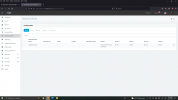
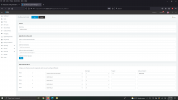
Can you send us a screenshot of your outbound rules?
 
Alright, here it is:
1634313567656.png

1634313584284.png
 
In your outbound rules, try changing the field "Calls to numbers starting with prefix" from a 1 to a 9. When you are dialing, you are starting with 9. That is actually the lead digit, not 1. The rest looks ok, you are stripping 1 digit (the 9). I'm not sure exactly how Amazon is expecting your call, but if it is full e.164 format, then the rest should be good.
 
I've changed it and instead of getting a Forbidden error, it says "Temporarily Unavailable"
 
What do you see in the activity log on these calls? If you have not done so already, you will want to activate Verbose logging. In Activity Log, go to Settings > select Verbose and Save.

Make another call and find the Temporarily Unavailable error message (typically a 480 message). Copy the entire SIP message here or DM me here.

This sounds like a SIP carrier error message now. Is the trunk confirmed to be active?
 
The SIP trunk is active.

Here is the log:

10/15/2021 3:09:26 PM - Call to T:Line:10000>>+1XXX-XXX-XXXX@[Dev:sip:[email protected];transport=TCP] from L:55.1[Extn:1000] failed, cause: Cause: 400 Source number is not valid E.164 or anonymous value/INVITE from 3.80.16.101:5060

Second log record:

10/15/2021 3:09:26 PM - [CM503003]: Call(C:55): Call to <sip:[email protected]:0> has failed; Cause: 400 Source number is not valid E.164 or anonymous value/INVITE from 3.80.16.101:5060
 
I did the steps and changed the default caller ID to the number I bought in a E614 format, but the same thing continues.
 
And you have confirmed, in the 3CX Activity Log, that your caller ID is in the format of +1NXXNXXXXXX ?
 
The error suggests that the caller ID you are sending is not valid so check everything and try again. Also navigate to your PBX Settings / E164 Processing and disable the option "Process E164 Numbers" as a test and try again.
 
It seems as if the activity log is reporting a non E614 format.
 
Status
Not open for further replies.

Forum statistics

Threads
111,994
Messages
590,183
Members
164,934
Latest member
bunthoeun.may