Solved Outbound Calling Rules

Status
Not open for further replies.

brilledlighting

Free User
Joined
Apr 27, 2022
Messages
21
Reaction score
2
I have gone through the 3CX outbound rules example (https://www.3cx.com/blog/voip-howto/outbound-rules-a-complete-example/), but i have still having issues calling outbound with our soft phones (the 3CX app on the phone). We can receive inbound calls and we can make internal calls to other employees. But if we select a number of someone who has called us or input a number (regardless of the format) and try to call them, we get an instant busy signal and the call does not complete. Any direction would be appreciated.
Thanks,
Joe
 
Hi @brilledlighting

Are you using a standalone server or StartUP? In StartUp you do not have access to outbound rules so I am guessing you are not on StartUP.
Also which provider are you using?
Can you send a screenshot of your outbound rules if you are not using StartUP?
 
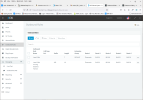
We are currently hosted on 3CX's servers. Using flowroute as the provider. Below is a screen shot of the 2 rules we have setup, i had deleted all the previous rules (as they weren't working) and i was just trying to start small, but even these simple rules, making a local call isn't working. 1660310668815.png
 
But if we select a number of someone who has called us or input a number (regardless of the format) and try to call them, we get an instant busy signal and the call does not complete.
You don't mention any problems in placing other outbound calls, so, I have to assume that the caller ID, of the number you are calling back, is not in the correct format to match an existing outbound rule. Have a look at the Activity Log, set to Verbose, for details of the failure.
You have a couple of options, modify(re-format) the incoming Caller ID, so it will match the way you normally dial an outgoing call, or, add additional rules to match the caller ID you are trying to call back.
 
  • Like
Reactions: Evolute IT
You don't mention any problems in placing other outbound calls, so, I have to assume that the caller ID, of the number you are calling back, is not in the correct format to match an existing outbound rule. Have a look at the Activity Log, set to Verbose, for details of the failure.
You have a couple of options, modify(re-format) the incoming Caller ID, so it will match the way you normally dial an outgoing call, or, add additional rules to match the caller ID you are trying to call back.
All outbound calls can not be completed. Whether we dial the call, select a number from a call that was incoming, etc. No matter how we dial / call, outbound calls will not work.
 
Create one rule at the top, enter one extension number 'Call from Ext' - nothing else. Can you make outbound from this extension.

What is the error message on the phone, have you looked at the activity log to see what is happening to the call.

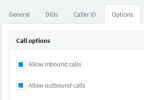
On the flowroute sip you are allowing outbound calls.

1660314940660.png

Check your E164 settings

Change you see anything on the flowroute logs
 
Last edited:
Create one rule at the top, enter one extension number 'Call from Ext' - nothing else. Can you make outbound from this extension.

What is the error message on the phone, have you looked at the activity log to see what is happening to the call.

On the flowroute sip you are allowing outbound calls.

View attachment 31467

Check your E164 settings

Change you see anything on the flowroute logs
Thank you for this note, i was able to make a call once i input the "Call from extension" as you mentioned. To make the call i did have to put in the country code + area code + number. So with us being able to make calls, how should i be setting up our outbound rules? Does every extension need a rule set for them?
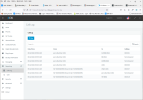
See the log below, the 2 calls previous to the last call made it says "not answered", but right when i select "call" it gives a busy signal. How should these rules be set so all 10 extensions we have will go through properly?
1660316366914.png
 
Make sure the user your testing is in the default user group, otherwise the outbound rule for 7-digits will be ignored as you set a filter on it for the extension group.
 
  • Like
Reactions: Kevin@voxtelesys
You could remove the default group from the rule, as you are checking 7 digits (local calls), you will have have to prepend digits to the number so that it is in the correct format for flowroute. Not knowing the format required looking at the log you may need prefix 1435.

Your second rule, - Local Call Long Distance you probably need to add prepend 1,

Will all rules you need to strip digits / prepend digits to get the number in the correct format to dial out via flowcall

You can delete the test outbound rule

The link you posted in your first post, has all the info required to setup the rules

Check your E164 settings, under Settings as this does affect the outbound numbering

Note : when you dial a number it has to match an outbound rule to be able to dial out, rules are processed from top down
 
Last edited:
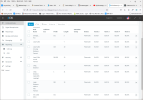
Thank you everyone for your direction. With my flowroute account, i had to put the prepend of "001" for each of these as this is what flowroute is looking for. Once i added that to the needed lines, it started working properly. Here is what the rules now look like.
1660320900073.png
 
You set the Emergency numbers rules under Settings - General Settings. 'When dialled, this number will ignore outbound in office or out of office rules'

You can also setup email notifications

You can delete rule number 1
 
Status
Not open for further replies.

Members Online Now

Forum statistics

Threads
111,831
Messages
589,277
Members
164,660
Latest member
RJenkinsROCK