Park and Page

Phil OE

Premier Customer
Joined
Nov 28, 2018
Messages
110
Reaction score
9
Hello,
Since upgrading to v20 our park and page system is not working. Whenever someone tries to pick up, they get a busy signal then disconnect. I have read you need to switch everyone to Receptionist or higher. I have 100-104 set up as extensions that forward to sp0-4. We also have horrible call quality issues since the upgrade. Everything was fine under 18. I hope this makes sense.
 
Last edited:
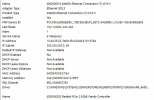
I dont think the extensions are clashing with anything as this was fine until v20. I am putting up some screenshots of my system.

The processor is i5-8400 with 16 gb of ram.
 

Attachments

  • Network.png
    Network.png
    431.4 KB · Views: 2
  • Park.png
    Park.png
    13.1 KB · Views: 2
This was not set up by me. Is there a page that shows how to set those up like you mentioned?
 
You can set up BLF keys for SP0-9
 
Ahh thats why its set up that way our phones dont have the blf keys.
 

Get in​


To park a call into a room press the transfer button on your SIP device followed by entering the number *0[0-9] (eg *00). The active call on your extension will be placed into room 0. The transferred party will be placed on hold.


It is possible to keep transferring more calls into *00, from your extensions or others, or to *01 even if there are calls in the room already. Don’t worry, calls held in a room cannot talk to each other, otherwise you would be in a conference call.


Get Out​


To unpark a call which is parked in a room, create a new call from your SIP device to *1[0-9] (eg *10).

youd have to look in the event/activity log to see why it isnt working.

alternatively, they can use the 3CX app to use SP.
 
Ok so I got the paging/parking working but on the newer phones augh! Guess my company will hate me when I give them a proposal.
 

Members Online Now

Forum statistics

Threads
111,832
Messages
589,282
Members
164,662
Latest member
DejanMDS