Patton 4112 FXO Setup

Status
Not open for further replies.

Saqqara

Bronze Partner
Basic Certified
Joined
Mar 12, 2014
Messages
4,775
Reaction score
1,471
Hopefully someone can help me, as this is the first Patton I have configured.

I followed the instruction in the 3cx document - https://www.3cx.com/voip-gateways/patton-smartnode-sn4112/

We have taken to unit to site, but it is not working - incoming calls just keeps ringing, outbound no service error

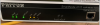
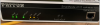
The Voice ports light are not on,
1599748664310.png


One PSTN line is connected to Port 0/0

Does anyone have an ideas
 

Attachments

  • 1599748704125.png
    1599748704125.png
    587.3 KB · Views: 6
Have you confirmed, that there is dialtone on the analogue PSTN line it is connected to? And be sure the cord is wired to use the correct pins on the RJ11 jack.
 
Last edited:
  • Like
Reactions: sbrammer
Have you confirmed, that there is dialtone on the analogue PSTN line it is connected to?

Very good question, we do not check when onsite.

We will have to check,
 
I've always found it's best to never assume that there is dialtone at the demarcation, as often "someone" has not done their crossconnect, somewhere, or, they have run it to the wrong pair.

I also assume this is going to a 48 volt PSTN line, and not a 24 volt PBX extension.
 
If the above all checks out - I would also check and confirm the following:

* Firmware version of the device (this is a smartware unit so it may of been shipped with outdated firmware).
* Ensure you have (as I am sure you have) configured the unit with the correct template (standard FXO and not the Trinity variant 4141) as this is incorrect.
* Login to the device:

Ports >> FXO >> Status >> fxo 0/0 (for example).
What does the line state say ? it should be "up".

This can be done via SSH also via the IP or putty via console port (as seen in your picture) if IP is failing once in run the commands:

enable
configure
context cs switch
show port fxo 0 0
(example port number)

This will show the same "link status" up or down. If all else fails however get the call logging done from the Patton and send it over.

enable
debug call‐router
debug call‐control
debug fxo
debug ccfxo
debug context sip‐gateway signaling detail 5
debug context sip‐gateway transport detail 5
debug context sip‐gateway error

no debug all (
to disable)
 
The firmware was updated to the latest version from Patton,

It is using the FXO template

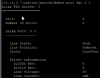
running show port fxo 0 0 shows me the line state is down

1599755364205.png

Going on this we probably need to check for pstn signal by using an analogue phone
 
Yes, theres no point troubleshooting a call when the line is in that state. Have you confirmed the line type (does the customer have a bill?) or confirmed the status with the provider ?

Can you check another port on the Patton as well perhaps (move the line) Pattons build quality is normally very good though and I have never really known faults occurring with them.
 
check the status on the patton. make a and and make sure you can see coming into the patton. Next if its coming in that mean its not going to the 3cx. which i know excatly what is wrong. your 3cx inbound you need to set 000000 and 000001
 
Status
Not open for further replies.

Latest Posts

Forum statistics

Threads
111,962
Messages
589,995
Members
164,867
Latest member
swegner