Performance Monitors

Status
Not open for further replies.

comresource

Joined
May 22, 2009
Messages
300
Reaction score
0
Now that V8 is final I was hoping that the Windows performance monitors would be working but they still seem broken.

I could really use both 32 and 64 bit version working.
 
have you ever played with Process Explorer
http://technet.microsoft.com/en-us/sysinternals/bb896653.aspx

it gives you all the accumulated details on each process running.
IO, Physical Memory, TCP/IP, CPU Time, Virtual Memory.

Just to get an an ideal of what is going on its pretty useful. All this can be recreated in Performance Monitor but what a pain

The true purpose of Process Explorer is figuring out what went wrong with a given application but it has other uses also. Just be careful it will let you do some not so nice things to a server
 
3CX already has working Perfmon counters in v7 32 bit. I am just wanting them to work on 2008 32/64 bit. These are 3CX specific counters such as license usage, concurrent calls, SIP registrations..etc..etc.
 
comresource said:
license usage, concurrent calls, SIP registrations..etc..etc.

I must be missing something? I don't see how these items are performance related???

When i hear performance monitoring i think CPU Usage, Context Switching times, IP traffic load, IO Waits and which app is the major cause.
 
You can still add your "own" 3cx counter as a temporary solution.


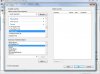
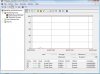
All you need to do is Start > Run > Perfmon
Select > Process > User Time and add 3CX PhoneSystem and any other services you use a lot like the IVR server / Media Server for example.


Press ok and there you go you have a working Performance Counter.
Does this work for you?
 

Attachments

  • perf1.jpg
    perf1.jpg
    60.5 KB · Views: 1,762
  • pC.jpg
    pC.jpg
    65.6 KB · Views: 1,762
LeonidasG, This is not the same thing, not even close.
 
comresource said:
LeonidasG, This is not the same thing, not even close.

if you got have this now and can't wait for dll to be fixed, the log files are your next best bet.

The only draw back i see in 3cx log retention is short very short and appears it can not be changed.

This is something that needs to be fixed.
 
zzzzz said:
comresource said:
license usage, concurrent calls, SIP registrations..etc..etc.
I must be missing something? I don't see how these items are performance related???
When i hear performance monitoring i think CPU Usage, Context Switching times, IP traffic load, IO Waits and which app is the major cause.

I will try to find the introductive chapter in writing performance counters - one of the first recommendation was something like "write only your specific data counters, and let to the system those for disk access, CPU, memory, network (and so on)". Until few years ago (2005, I guess) APIs for such kind of system informations you want were kept undocummented by Microsoft. I remember very clear when I joined the msdn forum and I asked for such kind of API, the answer was short, trying to quote: we don't provide any information about Windows internals.

However, just to talk, in such case we are very close by Heisenberg's uncertainty principle :lol: if I ask OS how GDI handles my app is using and it returns 3 and I want to display this, I will need to add those handles I will create to draw this information - but, how many they are since, sometime, OS caches some of them?

Regards
vali
 
Vali_3CX said:
I will try to find the introductive chapter in writing performance counters - one of the first recommendation was something like "write only your specific data counters, and let to the system those for disk access, CPU, memory, network (and so on)". Until few years ago (2005, I guess) APIs for such kind of system informations you want were kept undocummented by Microsoft. I remember very clear when I joined the msdn forum and I asked for such kind of API, the answer was short, trying to quote: we don't provide any information about Windows internals.

Ms has never been fourth coming on certain API internals. When process explorer came out back in NT days, DLL hell was par for course it was a God send figuring out what app broke what, memory leaks, context switch problems, network problems the list goes on and on. The problem i have with MS performance monitor is figuring out what app is doing what especially if its multi-threaded multi-exe app the complexities goes straight through the roof, and figure out whats in shared memory. what a pain...

Vali_3CX said:
in such case we are very close by Heisenberg's uncertainty principle :lol:
HEHE
 
Any update on when these will be working again? We are doing more installs and it is becoming difficult to monitor multiple clients systems. If it is too difficult to use perfmon is SNMP an option?
 
Status
Not open for further replies.

Latest Posts

Forum statistics

Threads
111,884
Messages
589,542
Members
164,742
Latest member
Zain101