Personal Virtual Meeting Space URL

Status
Not open for further replies.

apitsos

SOHO User
Basic Certified
Joined
Mar 27, 2020
Messages
184
Reaction score
52
Hi there,

I would like to ask how could I change the "Personal Virtual Meeting Space" URL. When creating an extension and sending the welcome message, I see at the bottom a link which Contains the subdomain and it is followed by a link with the format .../meet/webmeeting695681. The numbers are random.

I believe I have seen the option to change that, but I can't find it anymore.

Would someone be so kind to remind me from where can I change that on a user?


With kind regards,
Angelos Pitsos
 
Hi there,

I would like to ask how could I change the "Personal Virtual Meeting Space" URL. When creating an extension and sending the welcome message, I see at the bottom a link which Contains the subdomain and it is followed by a link with the format .../meet/webmeeting695681. The numbers are random.

I believe I have seen the option to change that, but I can't find it anymore.

Would someone be so kind to remind me from where can I change that on a user?


With kind regards,
Angelos Pitsos
The user can change that in the Webclient under the Settings, or through the Admin section of the Webclient when a manager has "System Administrator" rights.
 
  • Like
Reactions: apitsos
The user can change that in the Webclient under the Settings, or through the Admin section of the Webclient when a manager has "System Administrator" rights.
I don't see that in 18.0 Update 5. One of my users legally changed their name and while I changed their name in the user information page, I cannnot find a place to update their web meeting link (3cx.example.com/meet/FormerName).
 
In the web client or desktop app, Settings/General, bottom of the page in the 3CX Talk section.
 
Ok, I found it on my desktop app. Odd that it's nolonger available to administrators in the system administration web console. Rather than just fix it for my user on the back-end I now have to go over there and hold their hand through the process.
 
Ok, I found it on my desktop app. Odd that it's nolonger available to administrators in the system administration web console. Rather than just fix it for my user on the back-end I now have to go over there and hold their hand through the process.
if you have administrator rights, you can open user settings in your web client and configure there.
 
  • Like
Reactions: apitsos
if you have administrator rights, you can open user settings in your web client and configure there.
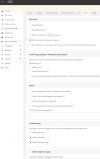
Not anymore. I logged in to the web client as "admin" and the setting is nowhere to be found. I logged into the web client as "Eric" (me - also full admin rights) and the setting is nowhere to be found. I believe it used to be at the bottom of the "Options" tab of user settings. Not anymore. 3cxUserOptions.JPG
 
Not anymore. I logged in to the web client as "admin" and the setting is nowhere to be found. I logged into the web client as "Eric" (me - also full admin rights) and the setting is nowhere to be found. I believe it used to be at the bottom of the "Options" tab of user settings. Not anymore. View attachment 32773
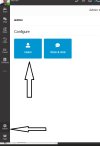
In the picture you presented, the admin panel, and I'm talking about the web client.
 
1.jpg
 
  • Like
Reactions: Evolute IT
It looks like you're on the desktop app, not the web client. I see that setting in my desktop app now that you pointed it out but I still think admin stuff like this should be available on the main system admin panel as it used to be. The main system admin panel is where I do all my admin like making new extensions, creating, deleting, and managing users... I think the Meet Now link is part of managing users.
 
  • Like
Reactions: apitsos
It looks like you're on the desktop app, not the web client. I see that setting in my desktop app now that you pointed it out but I still think admin stuff like this should be available on the main system admin panel as it used to be. The main system admin panel is where I do all my admin like making new extensions, creating, deleting, and managing users... I think the Meet Now link is part of managing users.
1. My web client and application look the same and are no different.
2. Why it is done this way is better to ask the developers.
 
Hi there!

I'd like to thank you all for your comments and your answers. Everything you mentioned is right. It can be now changed via the web client or via the new/modern 3CX Desktop App, which looks like exactly as the web client. But it used to be under options of the extension settings, in the Admin's Web panel. There is no reason that to be removed and IT IS an administrative thing.

I would like to ask a 3CX member why that is removed from there and is now related only to the users. An administrator could/should prepare that for the users, like he prepares anything else regarding their extensions, the devices, the softphone configuration, etc. The users, usually have no idea and it's difficult to explain everything to them.


With kind regards,
Angelos Pitsos
 
  • Like
Reactions: D Bedford
Status
Not open for further replies.

Forum statistics

Threads
111,973
Messages
590,076
Members
164,895
Latest member
jasonkkrause