Phone Behind SBC Constantly Refreshing

Status
Not open for further replies.

Wendelspanswick

Joined
Jan 11, 2016
Messages
178
Reaction score
10
This is in the activity log on a V15.5 SP6 system, 2 Yealink phones behind a SBC but only 1 shows this behaviour:

Code:
11/05/2018 11:51:57 AM - Endpoint Extn:2020 has refreshed contact <sip:[email protected]:5063>
11/05/2018 11:51:22 AM - Endpoint Extn:2020 has refreshed contact <sip:[email protected]:5060>
11/05/2018 11:51:02 AM - Endpoint Extn:2020 has refreshed contact <sip:[email protected]:5063>
11/05/2018 11:50:22 AM - Endpoint Extn:2020 has refreshed contact <sip:[email protected]:5060>
11/05/2018 11:50:08 AM - Endpoint Extn:2020 has refreshed contact <sip:[email protected]:5063>
11/05/2018 11:49:22 AM - Endpoint Extn:2020 has refreshed contact <sip:[email protected]:5060>
11/05/2018 11:49:13 AM - Endpoint Extn:2020 has refreshed contact <sip:[email protected]:5063>
11/05/2018 11:48:22 AM - Endpoint Extn:2020 has refreshed contact <sip:[email protected]:5060>
11/05/2018 11:48:19 AM - Endpoint Extn:2020 has refreshed contact <sip:[email protected]:5063>
11/05/2018 11:47:24 AM - Endpoint Extn:2020 has refreshed contact <sip:[email protected]:5063>
11/05/2018 11:47:22 AM - Endpoint Extn:2020 has refreshed contact <sip:[email protected]:5060>
11/05/2018 11:46:34 AM - MWI Extn:2020: sending to sip:[email protected]:5060; new=0; total=0
11/05/2018 11:46:29 AM - Endpoint Extn:2020 has refreshed contact <sip:[email protected]:5063>
11/05/2018 11:46:22 AM - Endpoint Extn:2020 has refreshed contact <sip:[email protected]:5060>
11/05/2018 11:45:35 AM - Endpoint Extn:2020 has refreshed contact <sip:[email protected]:5063>

Customer hasn't flagged up any issues and it's not a new thing, I noticed it a few weeks back.
 
Are the Yealinks the same model and running the same versions of supported firmware ? please confirm you are running 3CX supported and not the latest from the Yealink site.

Also ensure the location of each phone is the same and that they are running the same IP addresses.
This can be checked in the phones list on 3CX.
 
Found the problem, we had 2 SBCs on different sites but with the same local IP address, changing the IP address on one of the SBCs solved the issue.
It never occurred to me that multiple SBCs would need different local IP addresses and I don't think it's in the setup literature.
 
Yes i agree the doco on the SBC is very "lightweight"
 
I would take that a step further and suggest that even with a different IP address, I would also recommend a different subnet too.

I have a client that has 3 sites and a cloud-hosted 3CX install. The 3 sites have an SBC.
Site 1 is 192.168.81.x
Site 2 is 192.168.82.x
Site 3 is 192.168.83.x

The reason I did this is because two of the sites were set to 192.168.10.x and even though the SBC's had different addresses (one was .220, the other was .55), because they both existed on the same subnet, there were some interesting 'ghost' issues where a phone wouldn't come up after a reboot.

As soon as changed to the different subnets as above, the issue disappeared.

From a practical networking standpoint, if the client ever wants to tie in the sites via site-to-site IPsec tunnels, they are now ready to do so with the different subnets.
 
Found the problem, we had 2 SBCs on different sites but with the same local IP address, changing the IP address on one of the SBCs solved the issue.
It never occurred to me that multiple SBCs would need different local IP addresses and I don't think it's in the setup literature.
Glad to see the issue has been resolved and thank you for updating the thread with your solution. What you are describing however was an issue that was fixed in a previous release. Make sure that you are running the latest SBC version to avoid any issues.
 
Glad to see the issue has been resolved and thank you for updating the thread with your solution. What you are describing however was an issue that was fixed in a previous release. Make sure that you are running the latest SBC version to avoid any issues.
It's back. :(
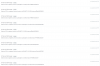
upload_2018-11-12_16-40-59.png
Server is up to date, as is the phone firmware and the SBC.
SBC's are on different IP addresses but not subnets.
 
Are there any other devices registered on the extension like 3CX windows or mobile clients?
 
Thanks for getting back to me, no this extension just has a Yealink T23g hand set.
 
That is strange as i am seeing registrations from port 5063 in your event log. Is the PBX or the SBC set to this port?
 
That is strange as i am seeing registrations from port 5063 in your event log. Is the PBX or the SBC set to this port?
It's not something I have changed as everything has been left as default. I will check the remote router for any anomalies and make sure the SBC config is correct.
 
Code:
11/19/2018 9:33:42 AM
SIP Server/Call Manager ID: 4101
Extension 2502 is registered, contact: sip:[email protected]:5060
11/19/2018 9:33:42 AM
SIP Server/Call Manager ID: 4101
Extension 2503 is registered, contact: sip:[email protected]:5060
11/19/2018 9:33:33 AM
SIP Server/Call Manager ID: 4101
Extension 2501 is registered, contact: sip:[email protected]:5060
11/19/2018 9:32:57 AM
SIP Server/Call Manager ID: 4101
Extension 2020 is registered, contact: sip:[email protected]:5060
11/19/2018 9:32:57 AM
SIP Server/Call Manager ID: 4101
Extension 2021 is registered, contact: sip:[email protected]:5060
11/19/2018 9:32:52 AM
SIP Server/Call Manager ID: 4101
Extension 2532 is registered, contact: sip:[email protected]:5060
11/19/2018 9:32:52 AM
SIP Server/Call Manager ID: 4101
Extension 2531 is registered, contact: sip:[email protected]:5060
11/19/2018 9:32:27 AM
SIP Server/Call Manager ID: 4101
Extension 2501 is unregistered, removed contact: sip:[email protected]:5060
11/19/2018 9:32:04 AM
SIP Server/Call Manager ID: 4101
Extension 2021 is registered, contact: sip:[email protected]:5063;rinstance=7a6f6fc5ea171bbb
11/19/2018 9:31:57 AM
SIP Server/Call Manager ID: 4101
Extension 2532 is unregistered, removed contact: sip:[email protected]:5060
11/19/2018 9:31:57 AM
SIP Server/Call Manager ID: 4101
Extension 2531 is unregistered, removed contact: sip:[email protected]:5060
11/19/2018 9:31:57 AM
SIP Server/Call Manager ID: 4101
Extension 2020 is unregistered, removed contact: sip:[email protected]:5060
11/19/2018 9:31:57 AM
SIP Server/Call Manager ID: 4101
Extension 2021 is unregistered, removed contact: sip:[email protected]:5060
11/19/2018 9:31:57 AM
SIP Server/Call Manager ID: 4101
Extension 2502 is unregistered, removed contact: sip:[email protected]:5060
11/19/2018 9:31:57 AM
SIP Server/Call Manager ID: 4101
Extension 2503 is unregistered, removed contact: sip:[email protected]:5060
11/19/2018 9:31:16 AM
SIP Server/Call Manager ID: 4101
Extension 2021 is unregistered, removed contact: sip:[email protected]:5063;rinstance=d154a523f355fa8f

It seems to be affecting phones across various sites and sat behind different routers and SBCs.
 
I was going to ask about a VPN but it shouldn't make a difference.

From what I can tell, those are normal informational entries (I see them in my event log if I recheck the informational box).

@YiannisH_3CX isn't port 5063 the default webRTC port?
 
Last edited:
Status
Not open for further replies.

Latest Posts

Forum statistics

Threads
111,901
Messages
589,636
Members
164,768
Latest member
Eagle Man