• We do not provide troubleshooting help for unsupported phones. Please try with a supported phone.
  • V20 Update 10 Alpha Learn more

Unsupported Polycom 8800

Status
Not open for further replies.

zhongjie

Free User
Joined
Jun 10, 2020
Messages
10
Reaction score
2
Hey all, having some real trouble getting this one set up. Searching old threads seems like they talk about "manual provisioning" the phone but never go into any detail. Is there any documentation on how to actually do this?

I've tried this page: https://www.3cx.com/sip-phones/manually-configure-polycom-soundpoint/

Has the only similar interface to the 8800, but even these instructions are poor as it tells you to enter authentication details but the screenshot clearly shows there are no fields for those, they also do not appear in the 8800 GUI either.

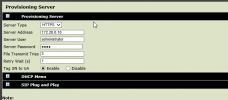
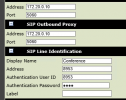
The closest I've come is filling these fields out:
2021-09-02 12_41_10-139.28.109.12_65005 - Remote Desktop Connection.png

2021-09-02 12_41_56-139.28.109.12_65005 - Remote Desktop Connection.png

But then the log just complains that the extension doesn't exist, spitting a 404 error when registering the line.

Anyone successfully set this up with 3CX have any pointers?
 
Hi,

Unfortunately this is not a supported model, the guides will not work for this one. Even if you manage to provision it, you may discover that it does not always behave as desired, and may cause issues when making calls.

If you have any supported VVX phones, you can compare the settings for Line 1 and see if you can make them the same on this device.
 
Appreciate the reply but at this point we just want it to use it as a basic SIP endpoint. Wondering if anyone has any actual experience setting it up.
 
Not having used one of these before, this is only a guess...

Could it be, that the Server ID is the User ID (extension number), and the server password is the SIP password?
Authentication User ID, would probably also be the extension.
 
Not having used one of these before, this is only a guess...

Could it be, that the Server ID is the User ID (extension number), and the server password is the SIP password?
Authentication User ID, would probably also be the extension.
Yup those were all populated with our 3CX details, the phone log says "404 user not found" though even though it's the extension I created in 3CX
 
Ok just for anyone who ever comes across this thread in the future:

1. Reset phone to factory settings, you may need to re-enable the web server in the advanced settings on the phone physically.

2. Once logged into the web GUI, set the base profile to "generic" in the simple setup screen. The phone will reboot.

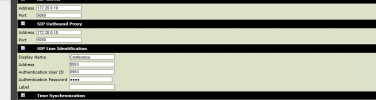
3. Back on the simple setup, enter in the 3CX details as you would normally:

2021-09-06 11_33_52-139.28.109.12_65005 - Remote Desktop Connection.png

Address and auth user ID being the provisioning credentials for the extension.

PS: used Polycom VVX 601 as the phone selected for provisioning.
 
Last edited:
To go in relative same way you did, once i got an alcatel unsupported phone and i was in same problem as you've been, Where to find SIP settings in GUI, in my case it was a user account and not admin so advanced menus and ability to change settings were hidden until I log admin.
My bad was I thought i was admin level. After I discovered it was not and logged in as real admin all my problems vanished.
 
Status
Not open for further replies.

Members Online Now

Forum statistics

Threads
111,831
Messages
589,277
Members
164,660
Latest member
RJenkinsROCK