• We do not provide troubleshooting help for unsupported phones. Please try with a supported phone.
  • V20 Update 10 Alpha Learn more

Polycom SoundPoint IP 450

Status
Not open for further replies.

Mat Pel

Free User
Joined
Aug 30, 2023
Messages
7
Reaction score
1
Hi,
I know... these are not supported. But I am a tenacious guy with a dislike for obsolescence...
I have a fanvil X6U-V2 as router phone. Works fine.
But for my 3 Polycom, I have tried many configs, but it always fails. So I get blacklisted for 24h...
No way to provision those.

Does anyone work with these machines and could help me with the setup?
Montage: 2345-12450-001 REV: B I guess this is the app version.

  • Server OS : 3CX SMB 10 18.0 Update 8 (Built 917)
  • Is the 3CX Server Hosted and where? by 3CX
  • IP Phone Make/Model/Firmware version, FANVIL X6U (Rev: B V2)
  • Provisioning Method: Automatic by Mac Address
  • Trunk Provider or VoIP Gateway Make/Model, CallCentric
  • Has the Firewall Checker passed: NO (no firewall yet)
  • Are custom Phone Templates being used: NOT YET (all Polycom SoundPoint IP450 unplugged)
 
I understand you. :)

You should configure them manually, not using provisioning. I.e login to the webpage of the phone. Then configure extension, username password, fqdn of pbx in registrar and ip of the router phone in a field outbound proxy. This guide is not for a polycom, but for EOL Grandstream. Principle should be the same. If it works send us some screenshot of the web interface and i will update the configuration guide of Polycom.
 
@Nick Galea
Thanks for your answer.
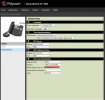
I have tried it this way (see photo). Feel free to correct me into this. I suspect my SIP Line address is wrong.
My SIP outbound Proxy would be my IP address of the Fanvil Router phone?

Additional question:
Is there any setup I should have to prompt into my Fanvil router phone in order to recognize all the Polycom phones?

TENTATIVE DE SETUP-1.png
 
@Nick Galea
Thanks for your answer.
I have tried it this way (see photo). Feel free to correct me into this. I suspect my SIP Line address is wrong.
My SIP outbound Proxy would be my IP address of the Fanvil Router phone?

Additional question:
Is there any setup I should have to prompt into my Fanvil router phone in order to recognize all the Polycom phones?

View attachment 37718
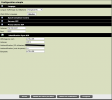
Within the SIP Line Identification you have configured the wrong address.

  1. Expand the SIP Line Identification section.
  2. In the Display Name field, input the name listed on the desired phone extension.
  3. In the Address field, add the extension number from the phone system.
  4. In the Authentication User ID field, add the extension authentication ID
  5. In the Authentication Password field, input the Password placed on the desired extension in the phone system.
  6. Click the Save button.
  7. Reboot the phone.
With this the phone should register the extension.
 
Within the SIP Line Identification you have configured the wrong address.

  1. Expand the SIP Line Identification section.
  2. In the Display Name field, input the name listed on the desired phone extension.
  3. In the Address field, add the extension number from the phone system.
  4. In the Authentication User ID field, add the extension authentication ID
  5. In the Authentication Password field, input the Password placed on the desired extension in the phone system.
  6. Click the Save button.
  7. Reboot the phone.
With this the phone should register the extension.
@Alejandro_3CX,
like this?

Capture d’écran, le 2023-10-11 à 09.35.34.png
 
Looks correct, is the phone registering?
 
Only one out of 3...
Same version of the phone firmware on the 3 phones, same config type, same phone...

The one working works fine and reacts perfectly to 3CX console

Is there something to do the Router phone?
 
Have a look on the 3CX blacklist, not that the devices are listed there
 
Only one out of 3...
Same version of the phone firmware on the 3 phones, same config type, same phone...

The one working works fine and reacts perfectly to 3CX console

Is there something to do the Router phone?
how many deskphones do you have configured?

Also are you running the paid SMB? because after the two months trial then is converted to FREE version if it is not renewed. With the free version only 3 deskphones can be used.
 
  • Like
Reactions: Evolute IT
It did it! I finally got through it. Thanks for your comments and help
 
Status
Not open for further replies.

Members Online Now

No members online now.

Forum statistics

Threads
111,835
Messages
589,289
Members
164,666
Latest member
infinititravels