Polycom VVX Phone Book

Status
Not open for further replies.

timmehb

Premier Customer
Basic Certified
Joined
Mar 8, 2020
Messages
47
Reaction score
8
Hi All,

System went live at the weekend for over 100 users. Utilising their existing Polycom VVX fleet (410).

I understand the way in which 3CX populates the phonebook on the devices. There is an xml file for each provisioned VVX unit for the unit to download on reboot.

The problem is that the XML file generated by 3CX is not alphabetized. The Polycom phones load in the XML file in the order defined and doesn't sort in any order natively.

This causes the Search function to stop working for certain numbers (i.e. if a contact is a good way down the XML list and totally out of order).

Is there a potential quick and easy fix for this?
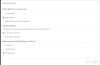
 
Have you checked the options settings under Contacts

1595333187290.png
 
Hey, yes we've got this setting set on the PBX.
There just doesn't seem to be any order that the PBX creates the polycom xml directory files with.
 
It would seem this is a platform issue!

The VVX 4 range only has 4 meg of space, maximum of 400 entries. We utilise the company wide contacts feature heavily, and have over 200 extensions - so the file presented to the units is over 700 in size already.

https://documents.polycom.com/bundl...-capacity-of-the-local-contact-directory.html

This is bad for us!

What would be brilliant, is if 3CX could serve only the internal extension numbers as contacts to the Polycom units - instead of the complete company wide phone book.
 
Ok, just for anyone who is coming up against this issue in the future.
It would seem that 3CX supporting Polycom phones comes with some caveas - maybe this needs to be stated on the Polycom Supported Model page.
Polycom phones will not support telephone directories with anymore than 400 contacts. Search will stop working. We make use of the PBX wide contacts - and 3CX will attempt to pump these down to the handsets locally also.

Our requirements were that the Polycom units only contained local extension in it's local directory. So we have created a workaround.

3CX will maintain the Polycom XXXX-directory.xml files in the provisioning folder. There is a default one 000000000000-directory.xml as well as one for each provisioned Polycom handset. 3CX will update all of these xml files whenever and extension or a Contact is added/changed/removed.

We have created a Python script, that will be run on a schedule (we've cron'd it for every hour). It parses the contents of the 000000000000-directory.xml file. It will then iterate through, and remove any XML elements with a number over 4 digits (our local extension number policy). It will then overwrite 000000000000-directory.xml. It'll then find any other provisioned xxxx-directory.xml file and overwrite it with 000000000000-directory.xml.

On next boot, the Polycom handsets only have the local extension numbers in it's directory.
I could get a little fancier with it and try and re-order the XML files also, as 3CX does not create them in alphabetical order - but this'll do for now.

Anyone interested in the Python script, let me know.
 
Status
Not open for further replies.

Forum statistics

Threads
111,954
Messages
589,923
Members
164,852
Latest member
priya