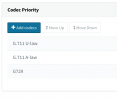
Since you seem to have PCMU set across the PBX as the priority what I recommend you do as quick tests is:
• With one of your mobile devices, using your SIM carrier, place an inbound call to 3CX and answer it using the 3CX Webclient. Check audio quality, and then compare it with the same call but outbound, make a call from the 3CX Webclient to the mobile number you called in before. Do you notice a difference? Which of the two has better audio?
• If the second call (outbound) has better audio than the first then it might mean that that your SIP Provider offers a different audio codec as the priority. It is usually the initiator's codec preference that gets honored so that's why I recommend placing an inbound and outbound and comparing the two. Theoretically, the Outbound call should use PCMU and the inbound whatever the SIP Provider offered, provided the SIP Trunk on your PBX supports it.
• If you can't tell if they have a difference I recommend you at least try to determine if there is a difference in audio quality for the audio going through your PBX and the audio after it went through your SIP Provider so that you can narrow it down. A very simple way to kind of do this is to perform an inbound/outbound call to your Mobile and record the call. Compare the audio you actually heard during the call to the audio you hear in the recording of your 3CX PBX. Remember, you should be checking the audio leaving your PBX (sent from the webclient) so make sure that during the make it clear which is which. It might be best to have someone else use the 3CX Webclient so that you can focus only on the audio reaching the mobile(external number).
Hope this helps!