Poor Voice Quality

Status
Not open for further replies.

Peter Richardson

Customer
Basic Certified
Joined
Apr 6, 2017
Messages
286
Reaction score
16
Hi all!

I have just set up a new 3CX server and I am setting up the phones - Yealink T21P E2 and Yealink T41P. I am getting poor voice quality on both, and to rule out that it's the phone, I have connected a third Yealink T21P E2 to our Asterisk VoIP server and the voice quality is excellent. By "voice quality" I mean that it sounds like a very low bit-rate. I have tried the following:

upgrade the firmware on both phones
set the codec for the extension in 3CX to 722 only by removing all other codecs
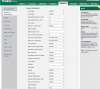
checked the web interface for the phone
correctly configured the firewall - "Firewall Check" on the 3CX Dashboard reads "Firewall test ok"
the phones are connecting through a VPN (for both 3CX and Asterisk)

Please see attached images.

 

Attachments

  • 2017-04-29 15_32_03-jobs (3) (1) (1) - Excel_LI.jpg
    2017-04-29 15_32_03-jobs (3) (1) (1) - Excel_LI.jpg
    575.1 KB · Views: 31
  • 2017-04-29 15_29_54-jobs (3) (1) (1) - Excel.png
    2017-04-29 15_29_54-jobs (3) (1) (1) - Excel.png
    38.6 KB · Views: 31
  • 2017-04-29 15_29_24-Yealink T21 E2 Phone.png
    2017-04-29 15_29_24-Yealink T21 E2 Phone.png
    101.2 KB · Views: 31
Are these calls Yealink to Yealink that are on the same network or across the VPN to an outside trunk?
What hardware are you running?
If you dial the voicemail extension and listen, how is the quality?
Have you tried PBX delivers audio to test?

Chuck
 
Last edited:
Are these calls Yealink to Yealink that are on the same network or across the VPN to an outside trunk?
What hardware are you running?
If you dial the voicemail extension and listen, how is the quality?
Have you tried PBX delivers audio to test?

Chuck

To test, I have been dialing mobile phones... And also Pizza Hut, because they have an IVR :-)

What hardware are you asking about?

I'll try the voicemail later.

Yes I've tried it with "PBX delivers audio" switched on and off. Didn't make any difference.
 
To test, I have been dialing mobile phones... And also Pizza Hut, because they have an IVR :)

What hardware are you asking about?

I'll try the voicemail later.

Yes I've tried it with "PBX delivers audio" switched on and off. Didn't make any difference.

What is 3CX installed on? What operating system? Does it meet the 3CX specs? If it is a virtual machine on HyperV, there is some additional configuration required.

Who is your trunk provider and what codec are they using?

How is the quality phone to phone?

Can you provision a mobile, i.e. IPhone to call with and test?

First thing I would do is establish whether the calls Yealink to Yealink sound of. Then Yealink to voicemail. Then try the mobile app and test to see where it is failing.

With the yealinks in the web interface, you can go to settings/configuration and start the pcap capture. Make a call to voicemail first and stop the pcap capture and export. Do the same with a phone to phone call and then a call to the outside. You can open these with wireshark and look into the call and maybe narrow it down.
 
3CX is installed on a PC with 4gb RAM, running debian. No virtualisation. Yes, definitely passes the specs.

Trunk provider is the same for 3CX and Asterisk, so that's ruled that out.

Okay I'll try those combinations and report back.

It seems to be something to do with 3CX because it's not happening with the same model Yealink T21P E2 when using Asterisk, which uses the same SIP provider / trunk provider.
 
Make sure you remove the 729 codec from the trunks too. Some providers will select 729 codec even if its rated dead last. Look at wireshark to see what codecs are really being used. The yealink templates fiddle with codec selections so results are not always as expected.
 
Status
Not open for further replies.

Latest Posts

Members Online Now

Forum statistics

Threads
111,861
Messages
589,439
Members
164,701
Latest member
yarusemiKK