- Joined
- Apr 6, 2017
- Messages
- 286
- Reaction score
- 16
Hi all, here's a tricky one for you!
I have been troubleshooting an issue with tech support for a while and it has reached the limits of my knowledge. Tech support have been very helpful, but I'm a little out of my depth. I get the concept, I lack the experience required to fix the issue.
The phones are connecting on a random port instead of their assigned SIP and RTP ports. This works for a while, but eventually the phones drop their connection and are unable to reconnect to the PBX (they just keep trying). I'm guessing that at this point they are being blocked by the firewall.
I have opened ports on the firewall on the PBX side (remote)
I have NATed the ports to the phones on the firewall where the phones are located
I am using pfSense firewalls at both ends
I have created the port preservation rules at both ends as per this link:
https://www.3cx.com/docs/pfsense-firewall/#h.mk14nzhjw26j
I know that 3CX doesn't support firewalls or any network configuration which is totally understandable because of the many different firewalls on the market, and their countless configuration options, and 3CX's (then implied) liability for your network. I'm just wondering if anyone out there might be able to spot something that I have overlooked or a slightly incorrect rule.
Let's just talk about one extension, the Yealink DECT cordless phone, this seems to be the one that causes the problem most of the time (it's rarely every any of the other phones that go down, but this is the most important phone to this client).
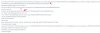
The extension is 103 and you can see from the 3CX Activity Log screenshot that it is connecting on port 25342 (am I reading that right?)
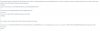
The Yealink interface screenshot shows that it is connecting on port 5060 for SIP, but shouldn't that be 5069 because that's what I have it set to in the PBX? (see attached)
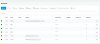
I have attached images of pfSense rules and NAT for local site and remote PBX site.
I've run out of ideas, can anyone please suggest a place to start?
I have been troubleshooting an issue with tech support for a while and it has reached the limits of my knowledge. Tech support have been very helpful, but I'm a little out of my depth. I get the concept, I lack the experience required to fix the issue.
The phones are connecting on a random port instead of their assigned SIP and RTP ports. This works for a while, but eventually the phones drop their connection and are unable to reconnect to the PBX (they just keep trying). I'm guessing that at this point they are being blocked by the firewall.
I have opened ports on the firewall on the PBX side (remote)
I have NATed the ports to the phones on the firewall where the phones are located
I am using pfSense firewalls at both ends
I have created the port preservation rules at both ends as per this link:
https://www.3cx.com/docs/pfsense-firewall/#h.mk14nzhjw26j
I know that 3CX doesn't support firewalls or any network configuration which is totally understandable because of the many different firewalls on the market, and their countless configuration options, and 3CX's (then implied) liability for your network. I'm just wondering if anyone out there might be able to spot something that I have overlooked or a slightly incorrect rule.
Let's just talk about one extension, the Yealink DECT cordless phone, this seems to be the one that causes the problem most of the time (it's rarely every any of the other phones that go down, but this is the most important phone to this client).
The extension is 103 and you can see from the 3CX Activity Log screenshot that it is connecting on port 25342 (am I reading that right?)
The Yealink interface screenshot shows that it is connecting on port 5060 for SIP, but shouldn't that be 5069 because that's what I have it set to in the PBX? (see attached)
I have attached images of pfSense rules and NAT for local site and remote PBX site.
I've run out of ideas, can anyone please suggest a place to start?
Attachments
-
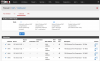 pfSense - Local - Port Preservation.png326.2 KB · Views: 42
 -
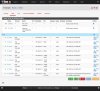 pfSense - Local - Rules.jpg621.9 KB · Views: 36
 -
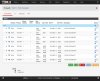 pfSense - Local - NAT.jpg510.3 KB · Views: 31
 -
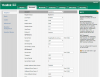 Yealink Web Interface.png656.9 KB · Views: 34
 -
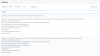 3CX Activity Log.png334.3 KB · Views: 31
 -
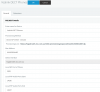 3CX DECT Phones.png160.8 KB · Views: 30
 -
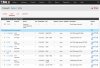 pfSense - Remote - Rules.jpg464.3 KB · Views: 25
 -
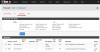 pfSense - Remote - Port Preservation.png265 KB · Views: 27
Last edited: