Prepend CallerID

Status
Not open for further replies.

Joe Archibald

Free User
Joined
May 12, 2014
Messages
31
Reaction score
1
How do I prepend the CallerID on one sip trunk?

I tried on the SIP trunk to add the Inbound Caller ID rule of
Source: (*)
Replace: Sales \1

but it changed all call from all trunks

I am looking to add "Sales" to calls that come in from a specific DID

Thanks

Joe
 
Hi Joe,

All you need to do is give your inbound rule a name. The name is optional and does not need to be given to each and every rule.

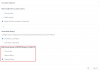
Then go into the Contacts of 3CX. Click options and select to "Prepend Name" in the "Add Group, Queue or DID/DDI Names to Caller ID" section.

1606405434495.png
 
  • Like
Reactions: Evolute IT
Will that prepend the name to all inbound rules?
 
Will that prepend the name to all inbound rules?

Yes, which is why you I mentioned that you do not need to add a name for each and every rule. Only rules with a name will show the name.
 
  • Like
Reactions: Evolute IT
I will give that a try.

Thanks for your help

Joe
 
  • Like
Reactions: NicholasP_3CX
Status
Not open for further replies.

Latest Posts

Forum statistics

Threads
111,990
Messages
590,161
Members
164,926
Latest member
tohoken1