- Joined
- Aug 24, 2023
- Messages
- 7
- Reaction score
- 3
Hello all,
We have 3 systems up-and-running, all updated to the latest version (not beta's).
Belgium - Netherlands - Germany
They are bridged.
Since the last update, I lost the Presence Information from our installation in The Netherlands.
Nothing changed, all settings are OK (same as Germany)
Also The Netherlands cannot see Belgium.
From Germany we can see the Presence information in Belgium and in The Netherlands.
In Belgium and the Netherlands we can see information from Germany.
We can call the no-presence users over the Bridge
Another strange thing: in the Receptionist-view, the name of the person (taken from the other installation) is shown.
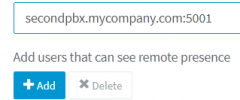
Port 5001 is not blocked.
I tried info over FQDN and IP, none worked.
Any other ideas ?
(it's since the last update)
Greetzzz,
Jochen
We have 3 systems up-and-running, all updated to the latest version (not beta's).
Belgium - Netherlands - Germany
They are bridged.
Since the last update, I lost the Presence Information from our installation in The Netherlands.
Nothing changed, all settings are OK (same as Germany)
Also The Netherlands cannot see Belgium.
From Germany we can see the Presence information in Belgium and in The Netherlands.
In Belgium and the Netherlands we can see information from Germany.
We can call the no-presence users over the Bridge
Another strange thing: in the Receptionist-view, the name of the person (taken from the other installation) is shown.
Port 5001 is not blocked.
I tried info over FQDN and IP, none worked.
Any other ideas ?
(it's since the last update)
Greetzzz,
Jochen